

Assumed knowledge
To get the most out of this guide, you should have:- A local Airflow environment. See Run Airflow locally.
- Basic familiarity with an AI coding agent harness, such as Claude Code or Cursor.
Otto
LabsOtto is in Labs.
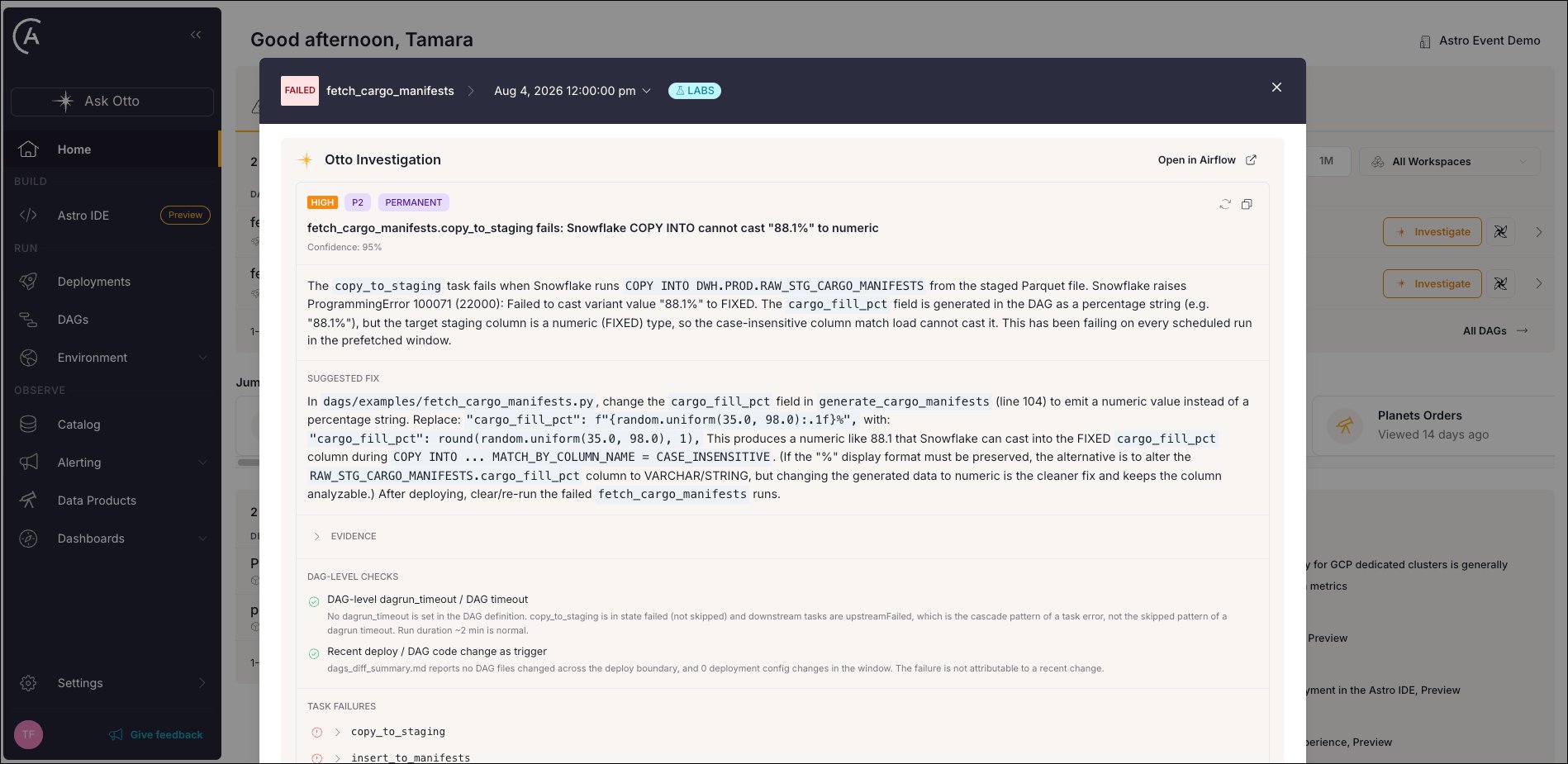
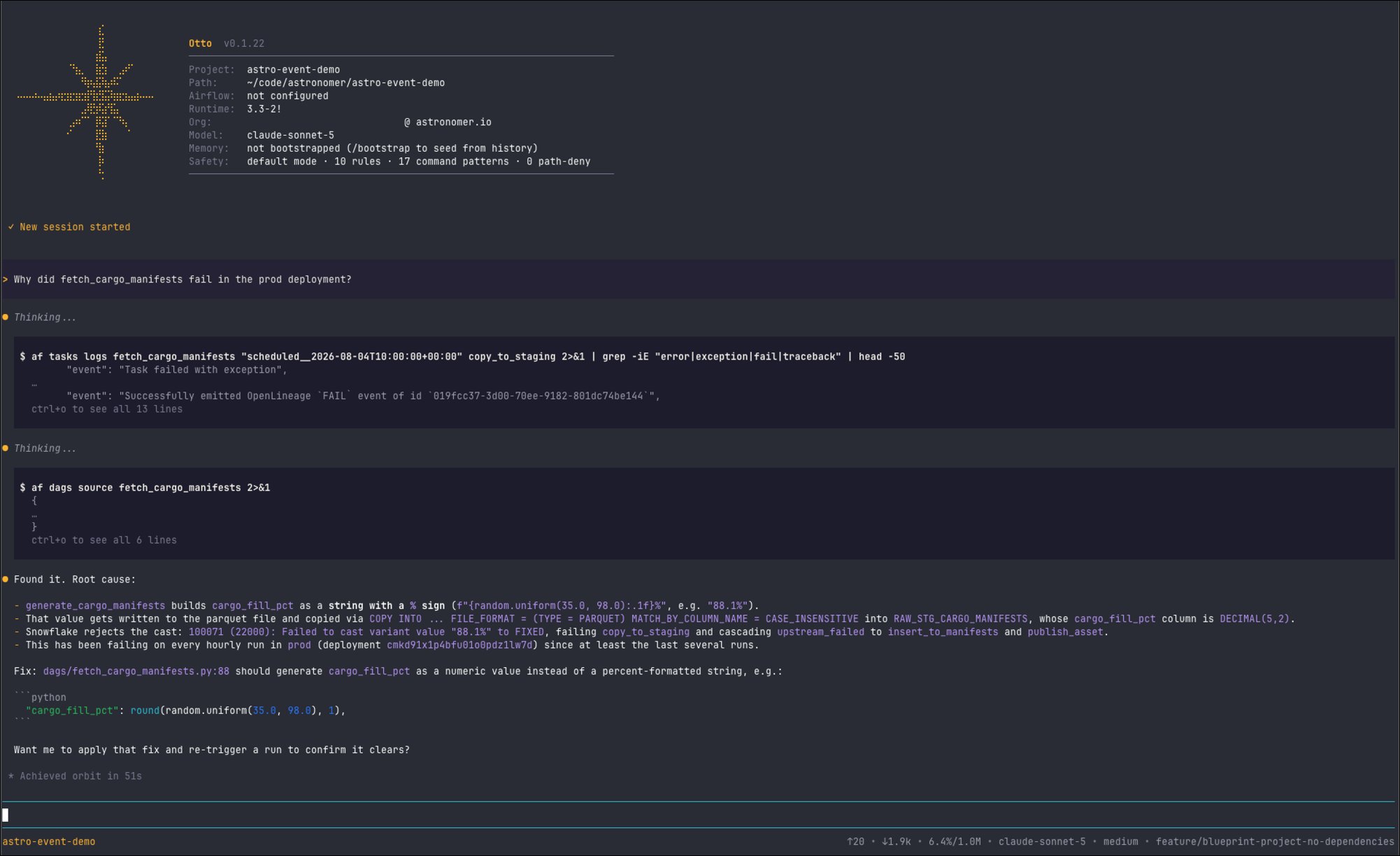
copy_to_staging task that fails because Snowflake can’t cast the percentage string "88.1%" into a numeric column.
- Astro UI
- Astro CLI
Debug systematically
Using AI doesn’t change what good debugging looks like. When you use an agent to debug a Dag, use the same systematic approach you would use when debugging manually. Astronomer recommends the following debugging ladder:- Infrastructure: Is the scheduler running, is the database reachable, and are the worker queues sized adequately?
- Dag parsing: Does the Dag file import without errors? Check with
astro dev parse. - Dag and task run: Is the Dag schedule correct, and are the tasks running with the correct dependencies?
- Logic: Is the task code doing what it should?
- Prevention: After you fix the bug, what test or check would have caught it earlier?
To see an example of the debugging ladder in practice, watch the recording of the Best practices for debugging your Airflow Dags webinar.
Give your agent context about the failure
For debugging, your agent needs access to the context surrounding a failure:- Task logs: The full output of the failed task run, if applicable, including the exception, stack trace, and surrounding log lines.
- Run history and task state: Whether this is the first failure, whether upstream tasks actually succeeded, and what schedule and trigger rule the task uses.
- Source history: What changed in the Dag file recently, for example using
git logandgit blame. - Lineage: What data sources upstream of the Dag might influence its functioning, and which downstream assets can be affected. When running Airflow on Astro, Otto can access information gathered as part of Astro Observe.
- Additional variables: Sometimes Dags depend on values that aren’t defined in code. This could be environment variables, Airflow variables, Airflow connections, or configuration information fetched at runtime from a third-party service. If possible gather, the values for the failed Dag run and make them available to your agent.
Gather task logs
For a local project in container mode, Airflow writes task logs to$AIRFLOW_HOME/logs/ inside the scheduler container, so your agent needs a shell in the container to read them. You can use astro dev bash to open one. Use astro dev logs for component logs from the scheduler, triggerer, API server, and Dag processor.
For a Dag that ran on an Astro Deployment, Astronomer recommends using the astro-airflow-mcp as a wrapper around the Airflow REST API. See Airflow MCP Plugin for more information.
For stepping through task logic line by line, see Debug with dag.test().