

Assumed knowledge
To get the most out of this guide, you should have an understanding of:- Airflow operators. See Operators 101.
- Airflow hooks. See Hooks 101.
- Managing Airflow project structure. See Managing Airflow code.
Create a custom operator
A custom operator is a Python class which can be imported into your DAG file. Like regular operators, instantiating a custom operator will create an Airflow task. At a minimum, a custom operator must:- Inherit from the
BaseOperatoror any other existing operator. - Define an
.__init__()method which runs when the DAG is parsed. - Define an
.execute()method which runs when a task uses this operator.
- Define a
.pre_execute()method which runs before the.execute()method. This is particularly useful for adding functionality to an existing operator without the need to override the.execute()method. - Define a
.post_execute()method which runs after the.execute()method.post_execute()is useful for logging or cleanup tasks that should run after the main task logic, or to push additional information to XCom. The return value of.execute()is passed to.post_execute()as theresultargument.
MyOperator:
BaseOperator. For more detailed instructions see Creating a custom Operator.
It is possible to pass a callable to any operator’s
pre_execute or post_execute parameter to inject custom logic into it without needing to define a custom operator. Note that this feature is considered experimental.Create a custom hook
A custom hook is a Python class which can be imported into your DAG file. Like regular hooks, custom hooks can be used to create connections to external tools from within your task code. Custom hooks often contain methods that interact with an external API, which makes them better to use in custom operators than direct API calls. At a minimum, a custom hook must:- Inherit from the
BaseHookor any other existing hook. - Define an
.__init__()method which runs when the DAG is parsed.
.get_conn() method wrapping around a call to the BaseHook method .get_connection() to retrieve information from an Airflow connection. It is common to call the .get_conn() method within the .__init__() method. The following is the minimum recommended code to start with for most custom hooks:
Import custom hooks and operators
After you’ve defined a custom hook or operator, you need to make it available to your DAGs. Some legacy Airflow documentation or forums may reference registering your custom operator as an Airflow plugin, but this isn’t necessary. To import a custom operator or hook to your DAGs, the operator or hook file needs to be in a directory that is present in yourPYTHONPATH. See the Apache Airflow module management documentation for more info.
When using the Astro CLI you can add your custom operator file to the include directory of your Astro project. Consider adding sub-folders to make your include directory easier to navigate.
On Astro with Airflow 3, the
dags/ folder isn’t on the PYTHONPATH and you can’t customize the PYTHONPATH to include it. Place custom hooks, operators, and other shared modules in the include/ folder so that your Dags can import them.MyOperator class from the my_operator.py file and the MyHook class from the my_hook.py file in your DAGs with the following import statements:
Example implementation
The following code defines theMyBasicMathOperator class. This operator inherits from the BaseOperator and can perform arithmetic when you provide it two numbers and an operation. This code is saved in the include folder in a file called basic_math_operator.py.
include directory in a file called cat_fact_hook.py.
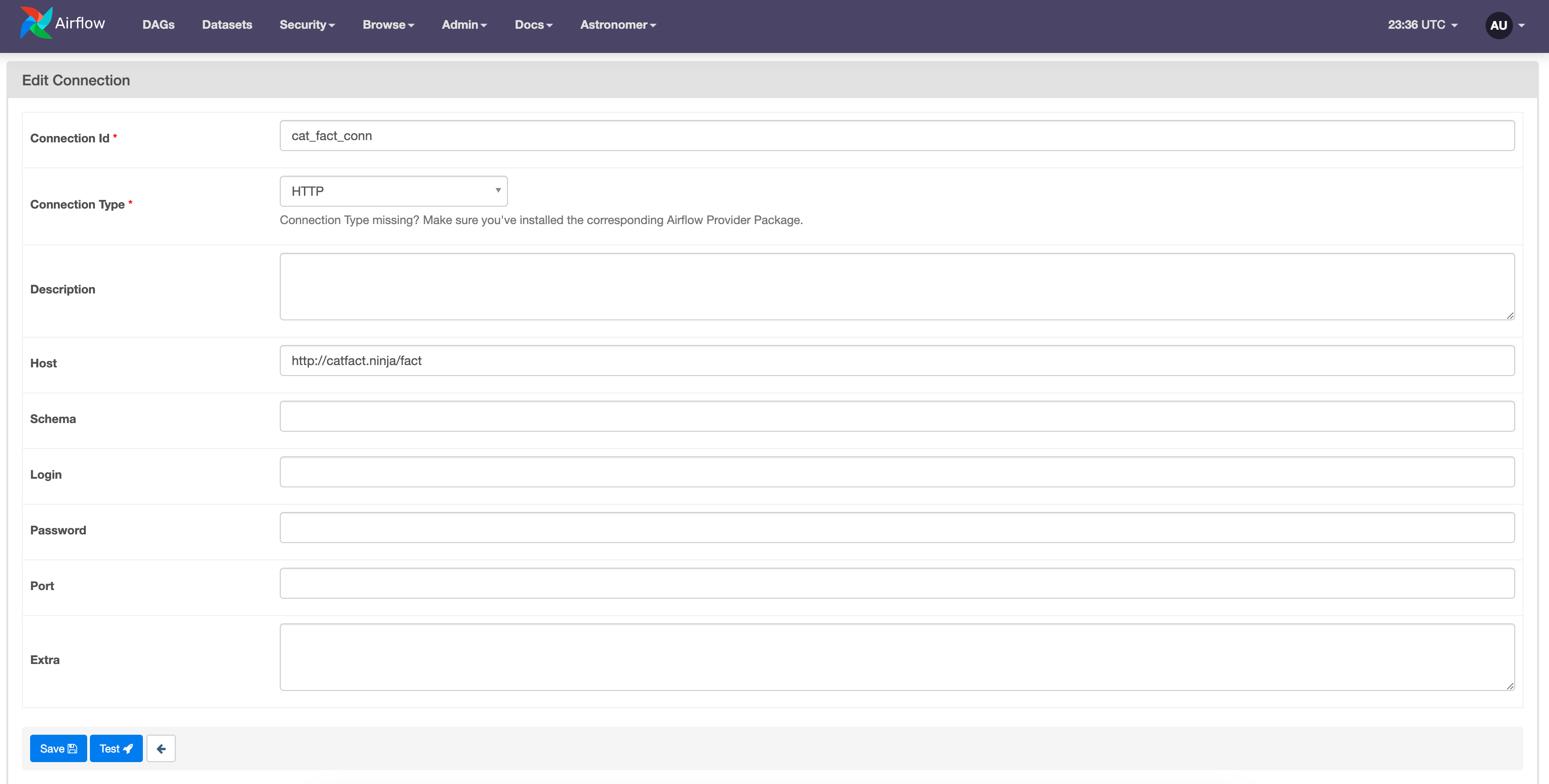
cat_fact_conn, the connection type HTTP, and the Host http://catfact.ninja/fact.
first_value and second_value as template_fields, you can pass values from other tasks to these parameters using Jinja templating.