

Architecture
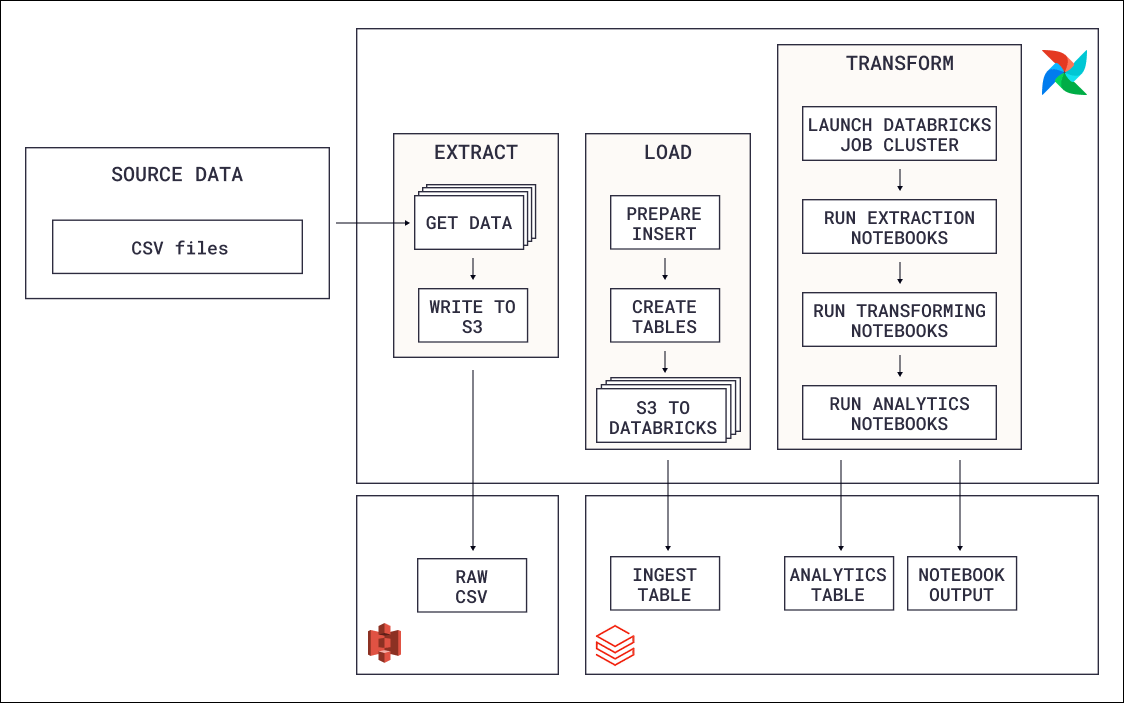
- Extraction: Data is moved from a local CSV file to an S3 bucket.
- Loading: The data is loaded into a Databricks table.
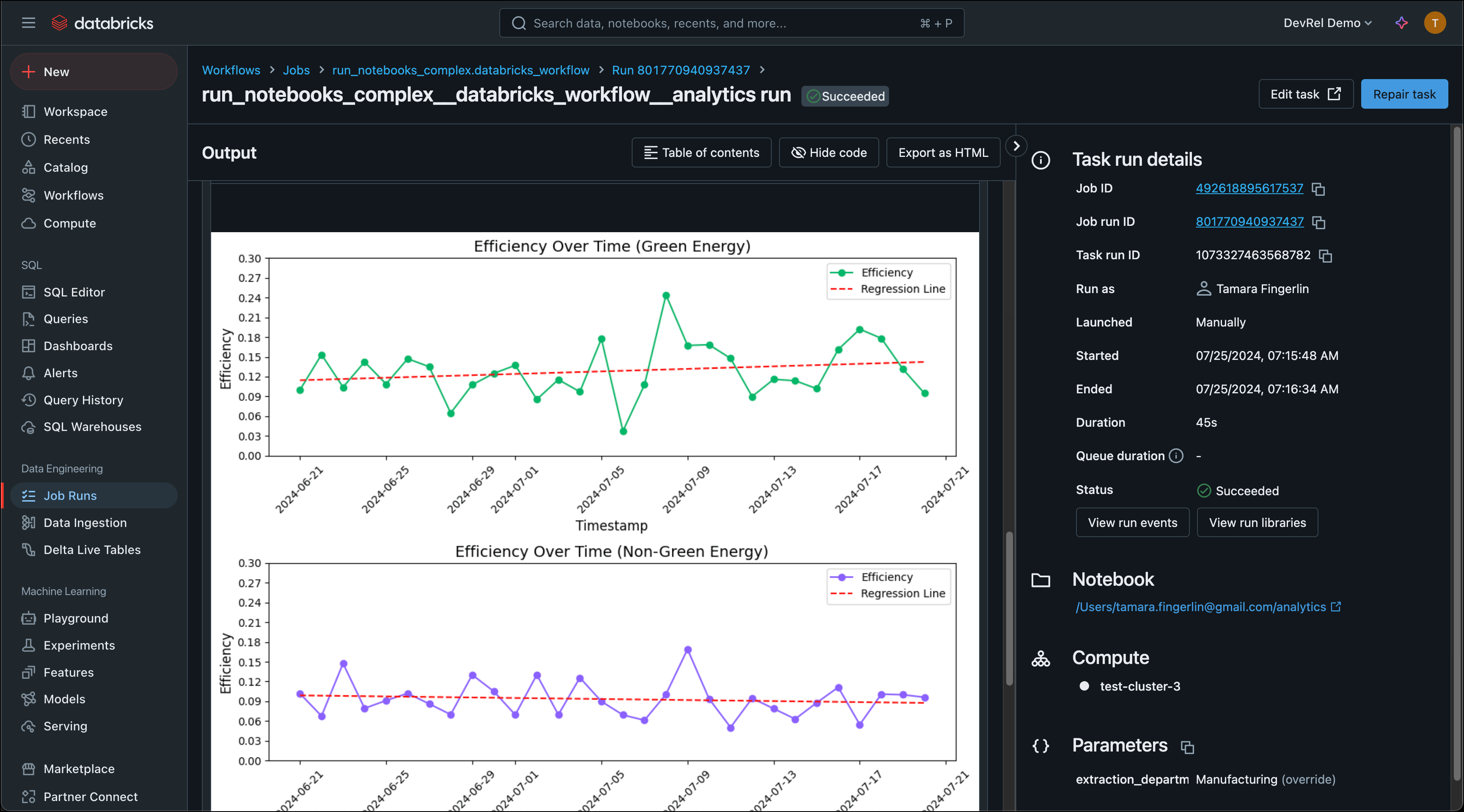
- Transformation: The data is extracted, transformed and loaded back into tables inside of Databricks by running Databricks notebooks as Databricks jobs using Airflow’s DatabricksWorkflowTaskGroup and
DatabricksNotebookOperator.
Airflow features
The DAGs in this reference architecture highlight several key Airflow best practices and features:- Airflow Databricks provider: The Airflow Databricks provider package allows you to create Databricks jobs from Databricks notebooks running as a task group in your Airflow DAG. Additionally, it contains other operators to interact with Databricks, such as the
DatabricksSqlOperatorandDatabricksCopyIntoOperatorshown in this demo. - Task groups: Task groups are a way to visually group tasks in a DAG. They can be collapsed and expanded in the Airflow UI, as well as used in dynamic task mapping to map over sets of sequential tasks.
- Dynamic task mapping: Loading of data from the S3 bucket into the Databricks table is parallelized per file using dynamic task mapping.
- Object Storage: Interaction with files in object storage is simplified using the experimental Airflow Object Storage API. This API allows for easy streaming of large files between object storage locations.
- Data-driven scheduling: The second DAG in this reference architecture runs on a data-driven schedule as soon as the data it operates on is updated.