

Assumed knowledge
To get the most out of this guide, you should have an understanding of:- Airflow operators. See Operators 101.
- Airflow sensors. See Sensors 101.
Terms and concepts
Review the following terms and concepts to gain a better understanding of deferrable operator functionality:- asyncio: A Python library used as the foundation for multiple asynchronous frameworks. This library is core to deferrable operator functionality, and is used when writing triggers.
- Triggers: Small, asynchronous sections of Python code. Due to their asynchronous nature, they coexist efficiently in a single process known as the triggerer.
- Triggerer: An Airflow service similar to a scheduler or a worker that runs an asyncio event loop in your Airflow environment. Running a triggerer is essential for using deferrable operators.
- Deferred: An Airflow task state indicating that a task has paused its execution, released the worker slot, and submitted a trigger to be picked up by the triggerer process.
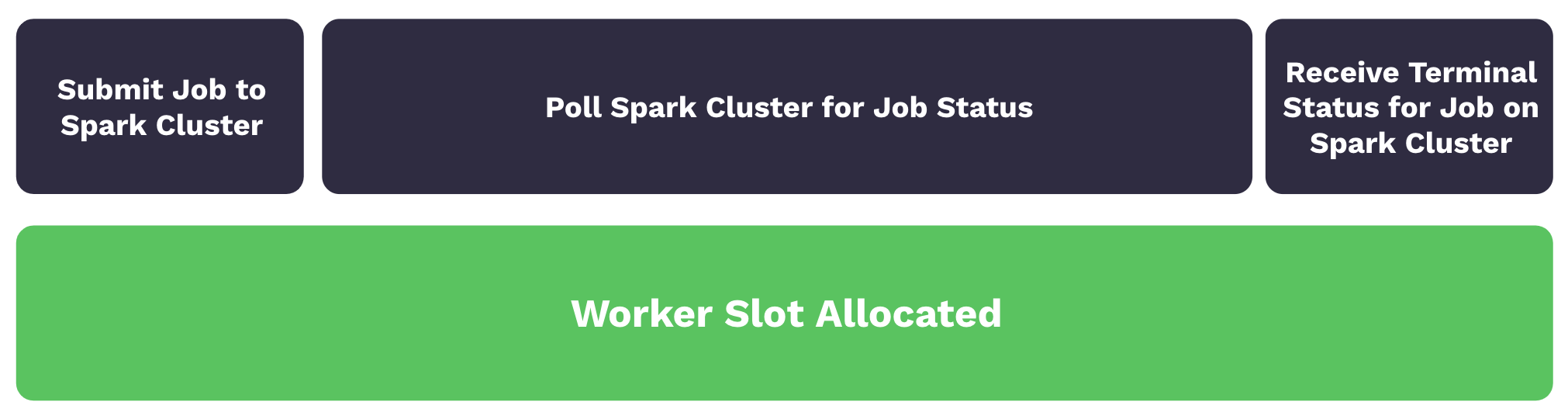
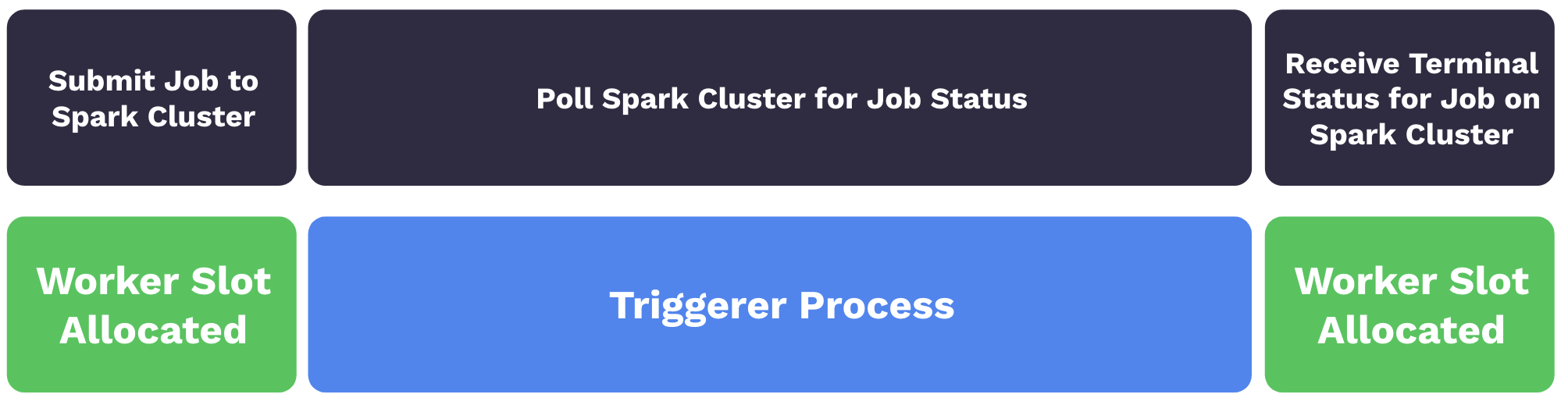
In Airflow 2.10+, some deferrable operators directly enter a deferred state without going to a worker first, see Triggering Deferral from Start.
- Reduced resource consumption: Depending on the available resources and the workload of your triggers, you can run hundreds to thousands of deferred tasks in a single triggerer process. This can lead to a reduction in the number of workers needed to run tasks during periods of high concurrency. With less workers needed, you are able to scale down the underlying infrastructure of your Airflow environment.
- Resiliency against restarts: Triggers are stateless by design. This means your deferred tasks aren’t set to a failure state if a triggerer needs to be restarted due to a deployment or infrastructure issue. When a triggerer is back up and running in your environment, your deferred tasks will resume.
Use deferrable operators
Deferrable operators should be used whenever you have tasks that occupy a worker slot while polling for a condition in an external system. For example, using deferrable operators for sensor tasks can provide efficiency gains and reduce operational costs.Start a triggerer
To use deferrable operators, you must have a triggerer running in your Airflow environment. If you are running Airflow on Astro, Astro Private Cloud, or using the Astro CLI, the triggerer runs automatically if you are on Astro Runtime 4.0 and later. See Configure a Deployment on Astro Private Cloud - Triggerer to configure the triggerer. If you aren’t using Astro, runairflow triggerer to start a triggerer process in your Airflow environment. Your output should look similar to the following image:
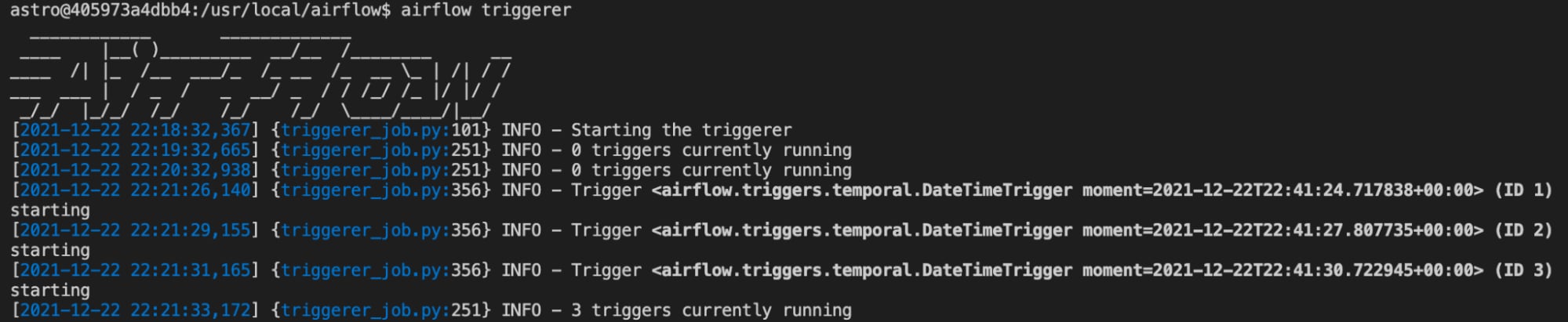
default_capacity configuration setting in Airflow. This config can also be set with the AIRFLOW__TRIGGERER__DEFAULT_CAPACITY environment variable. The default value is 1000.
Use deferrable versions of operators
Many Airflow operators, such as theTriggerDagRunOperator and the WasbBlobSensor, can be set to run in deferrable mode using the deferrable parameter. You can check if the operator you want to use has a deferrable parameter in the Airflow Registry.
To always use the deferrable version of an operator if it’s available in Airflow 2.7+, set the Airflow config operators.default_deferrable to True. You can do so by defining the following environment variable in your Airflow environment:
deferrable parameter will run as their deferrable version by default. You can override the config setting at the operator level using the deferrable parameter directly:
deferrable parameter was available in regular operators, deferrable operators were implemented as standalone operators, usually with an -Async suffix. Some of these operators are still available. For example, the DateTimeSensor doesn’t have a deferrable parameter, but has a deferrable version called DateTimeSensorAsync.
The Astronomer providers package, which contained many
-Async operators, is deprecated. The functionality from most of these operators is integrated into their original operator version in the relevant Airflow provider package.Example workflow
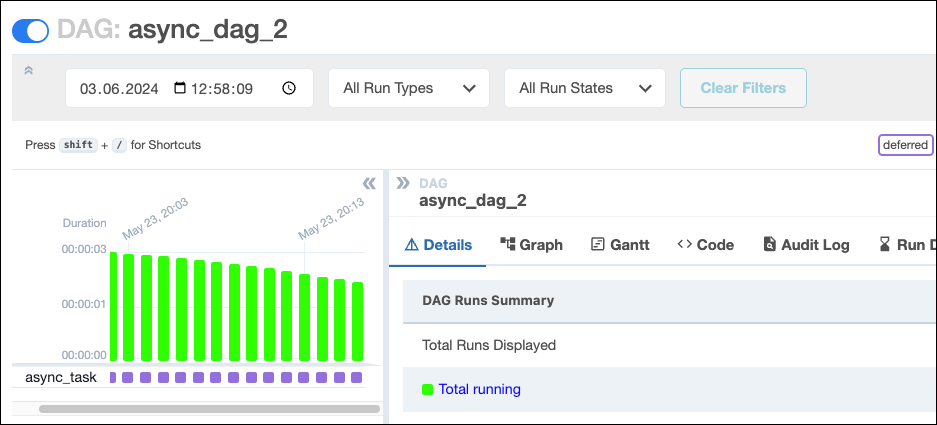
The following example DAG is scheduled to run every minute between itsstart_date and its end_date. Every DAG run contains one sensor task that will potentially take up to 20 minutes to complete.
DateTimeSensor, one worker slot is taken up by every sensor that runs. By using the deferrable version of this sensor, DateTimeSensorAsync, you can achieve full concurrency while freeing up your workers to complete additional tasks across your Airflow environment.
In the following screenshot, running the DAG produces 16 running task instances, each containing one active DateTimeSensor taking up one worker slot.
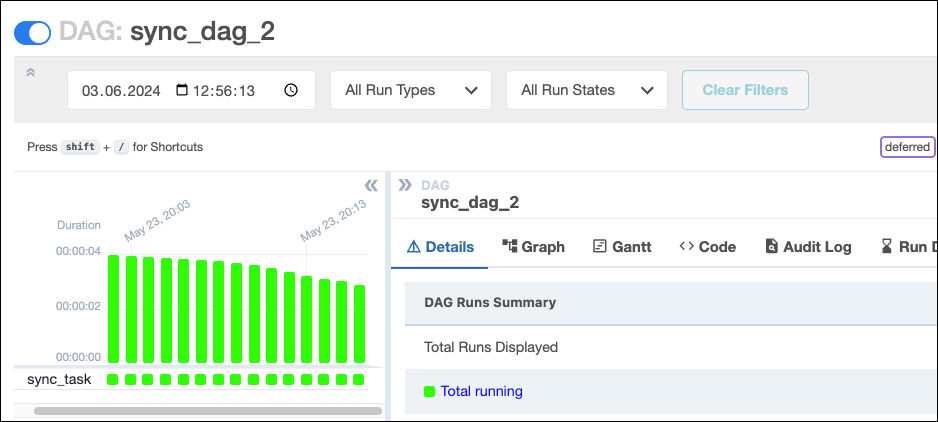
DateTimeSensor for DateTimeSensorAsync will create 16 running DAG instances, but the tasks for these DAGs are in a deferred state which doesn’t take up a worker slot. The only difference in the DAG code is using the deferrable operator DateTimeSensorAsync over DateTimeSensor:
High availability
Triggers are designed to be highly available. You can implement this by starting multiple triggerer processes. Similar to the HA scheduler, Airflow ensures that they co-exist with correct locking and high availability. See High Availability for more information on this topic.Create a deferrable operator
If you have an operator that would benefit from being asynchronous, but doesn’t exist in OSS Airflow yet, you can create your own by writing a deferrable operator and trigger class. You can also defer a task several times if needed. Get a template for a custom deferrable operator and custom trigger class, by clicking the dropdown below. Make sure to adjust the classpath for your trigger’s.serialize method (currently include.deferrable_operator_template.MyTrigger) to match your file structure.
Note that when developing a custom trigger, you need to restart your triggerer to pick up any changes you make, since the triggerer caches the trigger classes. Additionally, all information you pass between the triggerer and the worker must be JSON serializable.
See Writing Deferrable Operators for more information.
Airflow 2.10 includes the option to implement direct deferral without ever being picked up by a worker. See the code below for a deferrable operator circumventing the .execute() method. When using this template, make sure to adjust the classpath for your trigger (currently include.deferrable_operator_template.MyTrigger) in both the .serialize method and the StartTriggerArgs to match your file structure.
See Triggering Deferral from Start for more details and code examples.