

Prerequisites
- The data plane Kubernetes cluster is up and reachable from the control plane network.
- Astronomer data plane components are installed and healthy on the data plane, including the deployment orchestrator.
- You know the base domain for the data plane ingress. For example,
finance-dataplane-us-east-1.example.company.com.
Required fields
- Name: A unique identifier for the data plane cluster across the control plane. Names must be unique; pick a stable, human‑readable value. For example,
finance-dataplane-us-east-1. - Base domain: The base DNS domain served by the data plane ingress, in the format
https://<domainPrefix>.<base_domain>. For example,finance-dataplane-us-east-1.example.company.com. This domain resolves to the data plane’s ingress endpoints. - Cluster override: (Optional) Provide initial overrides to customize the cluster’s Deployment configuration. See Cluster override.
Register in the UI
1
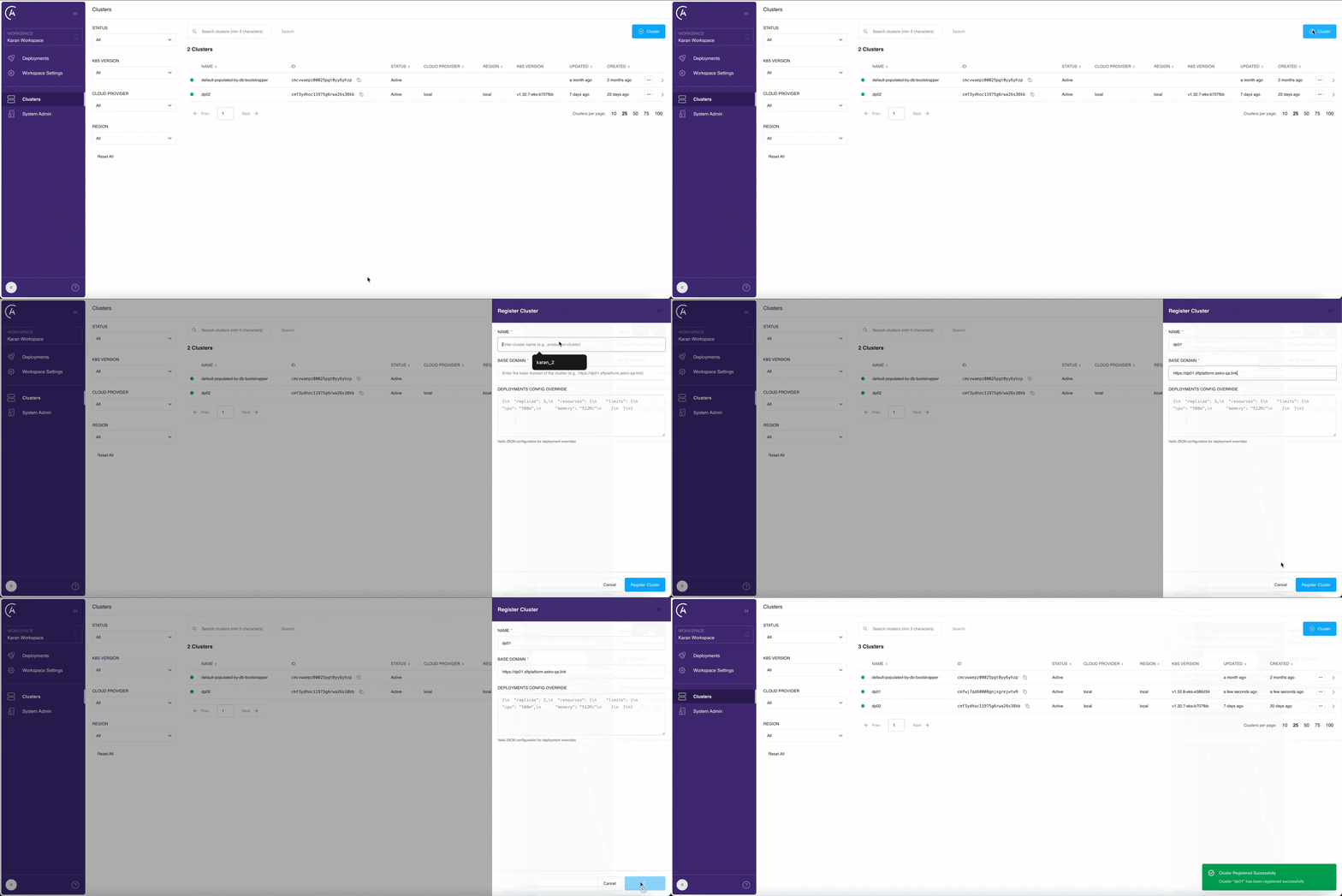
Open Clusters page
In the APC UI, open the Clusters page.
2
Add a new cluster
Click + Cluster to start registering your cluster.
3
Enter cluster details
Enter a unique Name, the data plane Base domain in the
https://<domainPrefix>.<base_domain> format, and optionally set Cluster override.4
Register the cluster
Click Register Cluster to save your cluster information. The control plane validates connectivity to the deployment orchestrator.
5
Verify
Check the list of clusters on the Clusters page. If you successfully registered your cluster, it appears in the list with a Healthy status.