

astronomer.houston.config.deployments, see Helm configuration reference.
Config governance in Astro Private Cloud enables settings under the deployments section of the Helm values file to be overridden at the Cluster, Workspace, or Deployment level, allowing for fine-grained control over the configuration of each Apache Airflow Deployment.
Config governance uses a layered deep merge of deployments (cluster, workspace, and deployment layers on top of the platform default), so effective values for those keys resolve predictably. Settings outside the deployments section (such as the astronomer, global, webserver, and nats sections) can only be changed in the Helm values files, and not in the three deployment override layers.
APC 2.2 changes how overrides are saved and what they can express. Sections that apply only to APC 2.2 say so, and note what earlier 2.x versions do where it differs. For a summary of what can change when you upgrade, see Changes when you upgrade to 2.2.
Overview
For settings under thedeployments section, config governance resolves values by merging four tiers, where each subsequent tier overrides the previous for keys it sets:
When APC resolves a configuration value for a Deployment, it starts with the platform defaults, merges in any cluster-level overrides, then workspace-level overrides, and finally deployment-level overrides. Later tiers always win for any key they set.
The platform tier that a cluster starts from depends on how the cluster resolves its configuration:
- By default, a cluster starts from its snapshot. APC stores a copy of the platform defaults when you register a cluster, or when you first install the platform in unified mode. APC merges each cluster override save and data plane metadata update into the snapshot, but a later change to the platform defaults doesn’t reach a key that the snapshot already holds.
- Starting in APC 2.2, a cluster can derive its configuration from the platform defaults that the APC API runs with now, so a change to the platform defaults reaches the cluster. Derivation is off by default. See Derive cluster configuration from platform defaults.
In the Astro UI, configuration overrides at the workspace or deployment level show the override you saved for that scope, not a full preview of the effective merged deployments result. The platform computes the final values when a Deployment is created or updated.
What can be configured
Config governance applies to all settings under thedeployments.* part of the platform config in your values.yaml (under astronomer.houston.config). This includes:
The four override tiers in this model (platform default, then cluster, workspace, and deployment) apply only to configuration under the
deployments section. Keys elsewhere in the platform configuration, for example global, webserver, and nats, aren’t changed through those tiers; the platform operator updates them in the values file and with a Helm upgrade.How each tier saves an override
Starting in APC 2.2, the cluster tier and the two tenant tiers save an override differently:
Because a Workspace or Deployment save replaces the stored override, send the complete override for that scope every time, not only the keys that you change. The APC UI editors already send the complete override. APC rejects an empty override. To clear a Workspace or Deployment override, delete it with
deleteWorkspaceDeploymentsConfig or deleteDeploymentConfig, or with Delete Config in the APC UI.
If two people save the same Workspace or Deployment override at the same time, the last save wins in full. Reload the override before you edit it if someone else might change it.
In APC 2.1 and earlier, a Workspace or Deployment save merges the submitted keys into the stored override, and keys that you leave out keep their stored values.
Blocklisted keys
Certain configuration keys can’t be overridden at the workspace or deployment level because they are tightly coupled to platform or cluster infrastructure. If you try to set or remove a blocklisted path, the API rejects the save with aBAD_USER_INPUT error. The message names the paths, and extensions.blocklistedKeys lists them. The APC UI shows the error in an Update failed message.
Blocklist in APC 2.2
Starting in APC 2.2, the Workspace and Deployment tiers share one blocklist. A blocklisted path can be neither set nor removed, and aDELETE_KEY on any parent of a blocklisted path is also rejected.
Both tiers block the following paths:
authSideCarloggingchartfluentdIndexPrefixprivateCaCertSecretNamesdagDeploy.client.relaxStrictX509ValidationdatabaseManagement.databasedatabaseManagement.manualConnectionStringshelm.airflow.elasticsearch.connection.hosthelm.ingress.extraIngressAnnotationshelm.openshift.enabled
namespaceManagement.preCreatedNamespacesnamespaceManagement.manualNamespaceNames.enablednamespaceManagement.namespaceFreeFormEntry.preDeploymentValidationHookAllowedHosts
namespaceManagement, because namespace configuration can’t change after a Deployment is created.
If a save sends back a blocklisted value that is already stored, unchanged, APC accepts the save and drops that value from the stored override. The APC UI editors send the stored override again on every save, so a value stored before the upgrade doesn’t block later saves.
The updateWorkspaceDeploymentsConfig and updateDeploymentConfig descriptions in the GraphQL schema of your installation list the blocklist for your version.
Blocklist in APC 2.1 and earlier
- In APC 2.1, the Workspace tier blocks setting the following keys:
authSideCar,logging,chart,fluentdIndexPrefix,privateCaCertSecretNames,dagDeploy.client.relaxStrictX509Validation,databaseManagement.database, anddatabaseManagement.manualConnectionStrings. - The Deployment tier blocks the same keys and
namespaceManagement. - APC 2.0 blocks the same keys except
privateCaCertSecretNamesanddagDeploy.client.relaxStrictX509Validation. In these versions, aDELETE_KEYon a blocklisted key isn’t rejected.
Values the data plane supplies
The data plane reports some values to the control plane, and those values always win over an override. Starting in APC 2.2,updateCluster rejects a new value at one of these paths, and registerCluster rejects any value at a path that the data plane reports. The error names the path and where its value comes from. updateCluster accepts a value that matches what the cluster override already stores, so you can send a stored override back unchanged.
chart.versionnamespaceManagement.preCreatedNamespacesnamespaceManagement.manualNamespaceNames.enabledhelm.airflow.elasticsearch.connection.hosthelm.ingress.extraIngressAnnotationshelm.openshift.enabled
Cluster.readOnlyConfigPaths returns this list for a cluster. In the APC UI, the cluster editor still lets you change these paths, and the confirmation dialog warns that it doesn’t save those edits because the data plane supplies them.
A data plane running an older data plane internal API might not report helm.openshift.enabled or helm.ingress.extraIngressAnnotations. When it doesn’t, registerCluster accepts an override at that path. updateCluster rejects a new value at every path in the list, whether or not the data plane reports it.
Remove a setting
To remove a key, set its value to the string"DELETE_KEY" in an override. This works at the cluster, Workspace, and Deployment tiers, with the updateCluster, updateWorkspaceDeploymentsConfig, and updateDeploymentConfig mutations. In the APC UI, you remove a setting without entering "DELETE_KEY" yourself. See Workspace-level configuration, Deployment-level configuration, and Override data plane cluster configurations.
What DELETE_KEY does in APC 2.2
Starting in APC 2.2, APC stores "DELETE_KEY" with the override and applies it every time it resolves a Deployment’s configuration. Depending on the path, it does one of two things:
- Remove: APC stops sending the key. Under
helm, the Airflow Helm chart’s own default then applies, or nothing if the chart has no default. - Withdraw: This tier stops overriding the key, and the value from the tier above applies. At the cluster tier, on a cluster that doesn’t derive its configuration, the resolved value doesn’t change until the cluster derives.
At the Workspace and Deployment tiers, APC rejects
"DELETE_KEY" on a parent of a blocklisted path instead of applying the table above. That includes helm, helm.airflow, and the protected helm.airflow.elasticsearch. See Blocklist in APC 2.2.
A platform default is any value in the APC API’s running configuration, including values that the platform Helm chart supplies.
When a removal only withdraws, APC doesn’t list it as removed. The removedPaths and configOverrideRemovedPaths fields list only the paths that a tier removes.
Protected helm paths
DELETE_KEY on one of the following paths, or on a parent of one, withdraws instead of removing when the path has a non-null platform default. The APC API reads these values itself, or the Airflow Helm chart’s default is wrong for APC:
helm.sslmodehelm.runtimeImageshelm.runtimeImagesV3helm.imageshelm.airflow.imageshelm.dagDeploy.imageshelm.airflow.elasticsearchhelm.airflow.scheduler.logGroomerSidecarhelm.airflow.triggerer.logGroomerSidecarhelm.airflow.workers.logGroomerSidecarhelm.airflow.dagProcessor.logGroomerSidecarhelm.sccEnabledhelm.airflow.useAstroSecurityManagerhelm.airflow.webserver.defaultUserhelm.airflow.networkPolicieshelm.airflow.postgresqlhelm.airflow.airflowLocalSettingshelm.astronomer.imageshelm.gitSyncRelay.images
Rules for removing keys
- Removing a
helmkey brings back the Airflow Helm chart’s default, not “off”. If the key switched a chart feature off, removing it can switch the feature on. To turn a feature off, set its value, for exampleenabled: false. - You can’t remove the Airflow Helm chart’s own default. That needs a Helm
null, and APC rejectsnull. Set an explicit value instead. - A key outside
helmthat has a platform default can only be withdrawn, not removed. Set its value instead. - Put
"DELETE_KEY"on the key itself. Outsidehelm, or on a protectedhelmpath or a parent of one,"DELETE_KEY"on a parent that has platform defaults beneath it withdraws the whole subtree. On any otherhelmparent, it removes the whole subtree, platform defaults included. nullisn’t accepted at any tier, and the error names the key. Use"DELETE_KEY"to remove a key, or at the Workspace and Deployment tiers, leave the key out of the override.- Arrays replace whole. You can’t remove one element, and APC rejects
"DELETE_KEY"as an array element. Submit the array without the element instead. - To remove a key whose name contains dots, such as an annotation or label, nest it:
{"labels": {"a.b/c": "DELETE_KEY"}}. The flat form{"labels.a.b/c": "DELETE_KEY"}refers to a key literally namedlabels.a.b/c. - At the cluster tier, to stop overriding a
helmkey and get the platform default back, set the key to"DELETE_KEY", which removes it, then restore the removal. See Override data plane cluster configurations. At the Workspace and Deployment tiers, leave the key out of the override.
DELETE_KEY in APC 2.1 and earlier
In APC 2.1 and earlier, the control plane applies "DELETE_KEY" when you save and doesn’t store it. At the Workspace and Deployment tiers, it removes the key, or a whole subtree if you set a parent to "DELETE_KEY", from that tier’s stored override, so the value from the tier above applies. At the cluster tier, it removes the key from the cluster’s stored configuration, and APC rejects it on a key that has a non-null default in the APC API’s built-in configuration.
Strict schema validation
Theastronomer.houston.strictSchemaCheck.enabled value in your platform values file controls whether deployment override payloads are validated against a JSON schema. When this is true (the default in the 2.0 Astronomer Helm chart), APC rejects unknown top-level domain keys and invalid types. When false, that validation is skipped, which is useful in edge cases such as Git-Sync relay metrics where you need helm keys the schema doesn’t list yet. After you change the flag, apply it with a Helm upgrade of the control plane.
Cluster-level configuration
Cluster-level overrides apply to all Deployments within a specific data plane cluster. This is useful for setting cluster-specific defaults like resource limits, executor configurations, or feature flags that should apply uniformly to all Deployments in a given cluster. For instructions on configuring cluster-level overrides, see Override data plane cluster configurations.Workspace-level configuration
Workspace-level overrides apply to all Deployments within a specific workspace. This allows Workspace Admins to customize settings for their team without affecting other Workspaces.Add or update workspace configuration
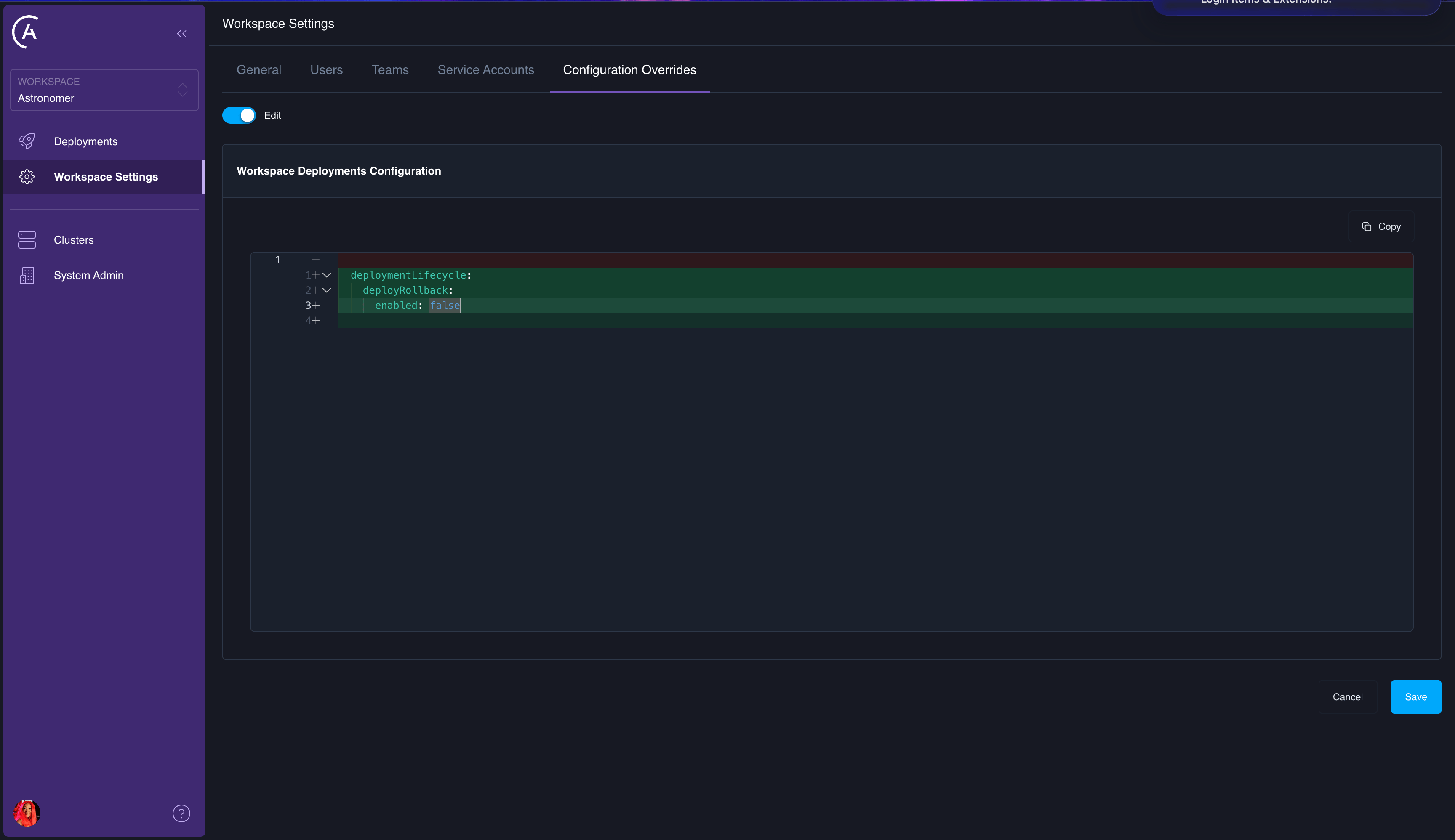
- APC API
- Astro UI
Use the Starting in APC 2.2, the
updateWorkspaceDeploymentsConfig mutation to add or update workspace-level overrides:deploymentsConfigOverride argument is the complete override for the Workspace. See How each tier saves an override. To change one key, read the stored override with the workspaceDeploymentsConfig query, change the key, and send the whole object.To remove a value that the Workspace inherits from the cluster or platform, set the key to "DELETE_KEY" in the complete override. See Remove a setting for which keys can be removed.removedPaths lists the paths that the Workspace override removes, each as an array of key segments. A removal that only withdraws isn’t listed.In APC 2.1 and earlier, the deploymentsConfigOverride argument accepts a partial JSON object. Keys you provide are merged into the existing workspace override, and keys you omit are left unchanged. To remove a specific key from the stored override, set its value to the string "DELETE_KEY".Delete workspace configuration
Deleting workspace configuration removes all workspace-level overrides, reverting all Deployments in the workspace to use cluster-level and platform-level defaults.- APC API
- Astro UI
Use the
deleteWorkspaceDeploymentsConfig mutation: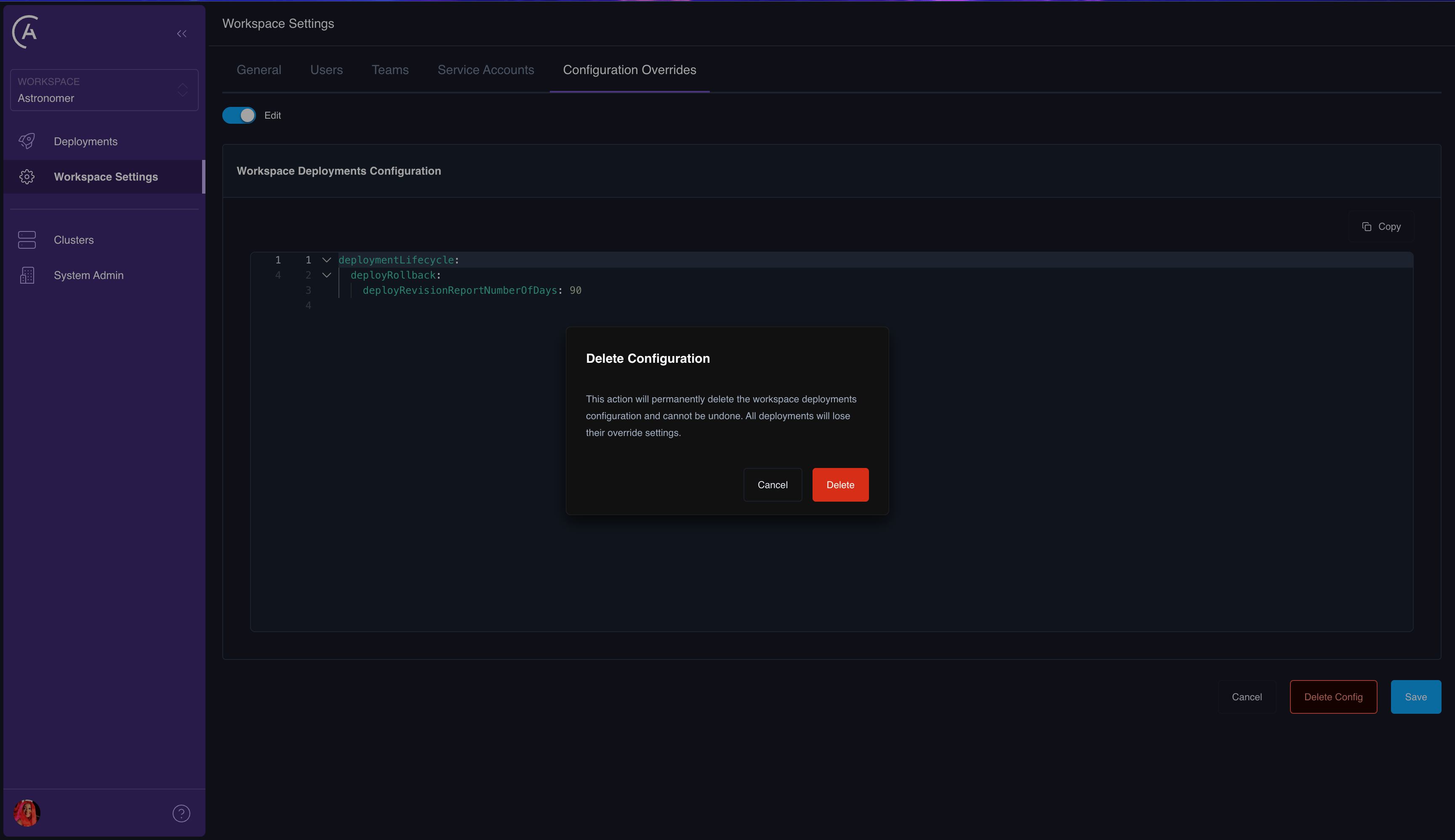
Deployment-level configuration
Deployment-level overrides apply to a single Deployment. This is the most granular tier and takes the highest precedence. Use this to customize a specific Deployment’s behavior without affecting other Deployments in the same workspace.Add or update deployment configuration
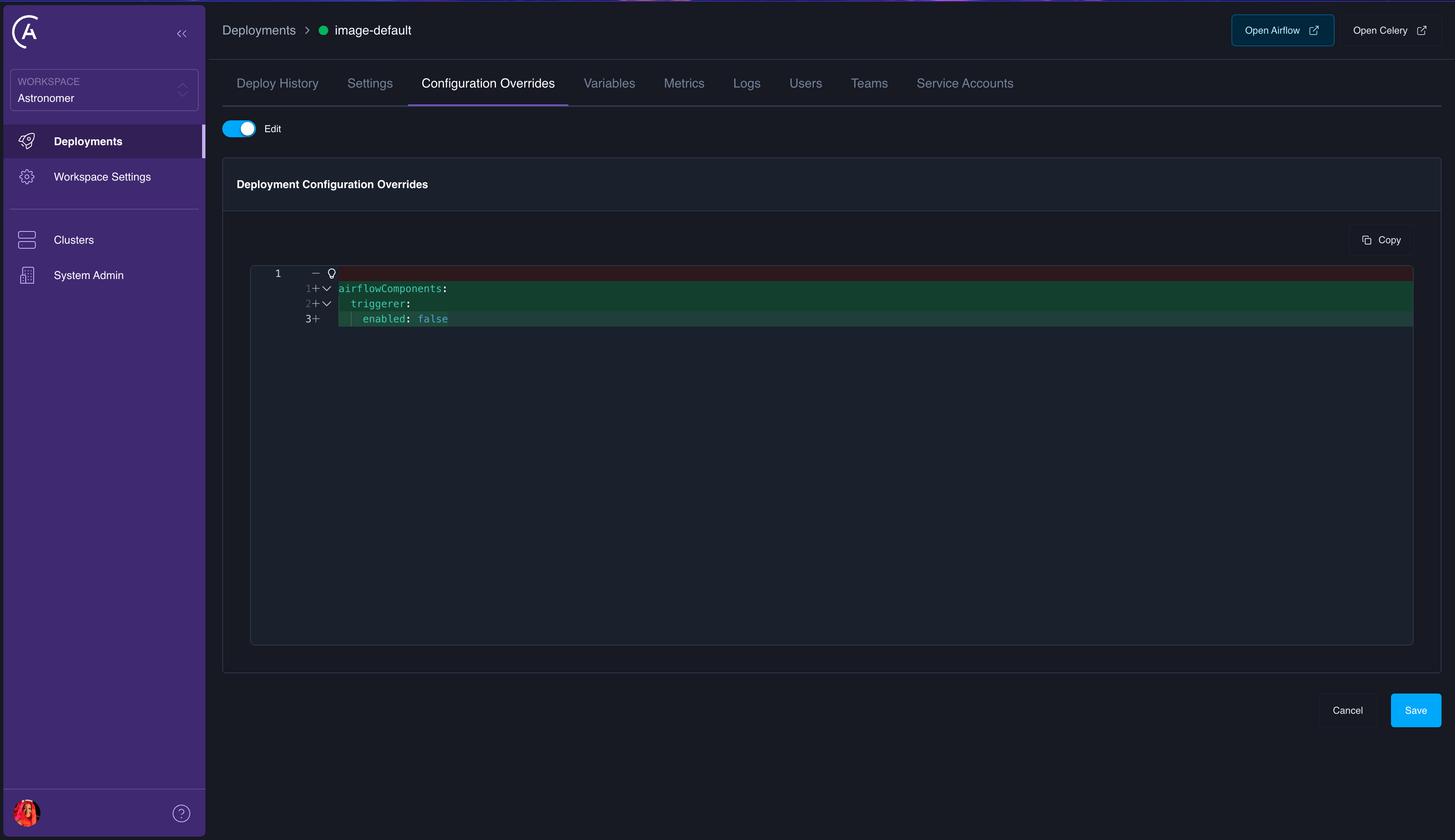
- APC API
- Astro UI
Use the Starting in APC 2.2, the
updateDeploymentConfig mutation to add or update deployment-level overrides:deploymentsConfigOverride argument is the complete override for the Deployment and replaces the stored override, the same as at the Workspace tier. To remove a value that the Deployment inherits from the Workspace, cluster, or platform, set the key to "DELETE_KEY" in the complete override. See Remove a setting.In APC 2.1 and earlier, the argument is merged into the stored override, and setting a key’s value to "DELETE_KEY" removes it from the stored override.Delete deployment configuration
Deleting deployment configuration removes all deployment-level overrides, reverting the Deployment to use workspace-level, cluster-level, and platform-level defaults.- APC API
- Astro UI
Use the
deleteDeploymentConfig mutation: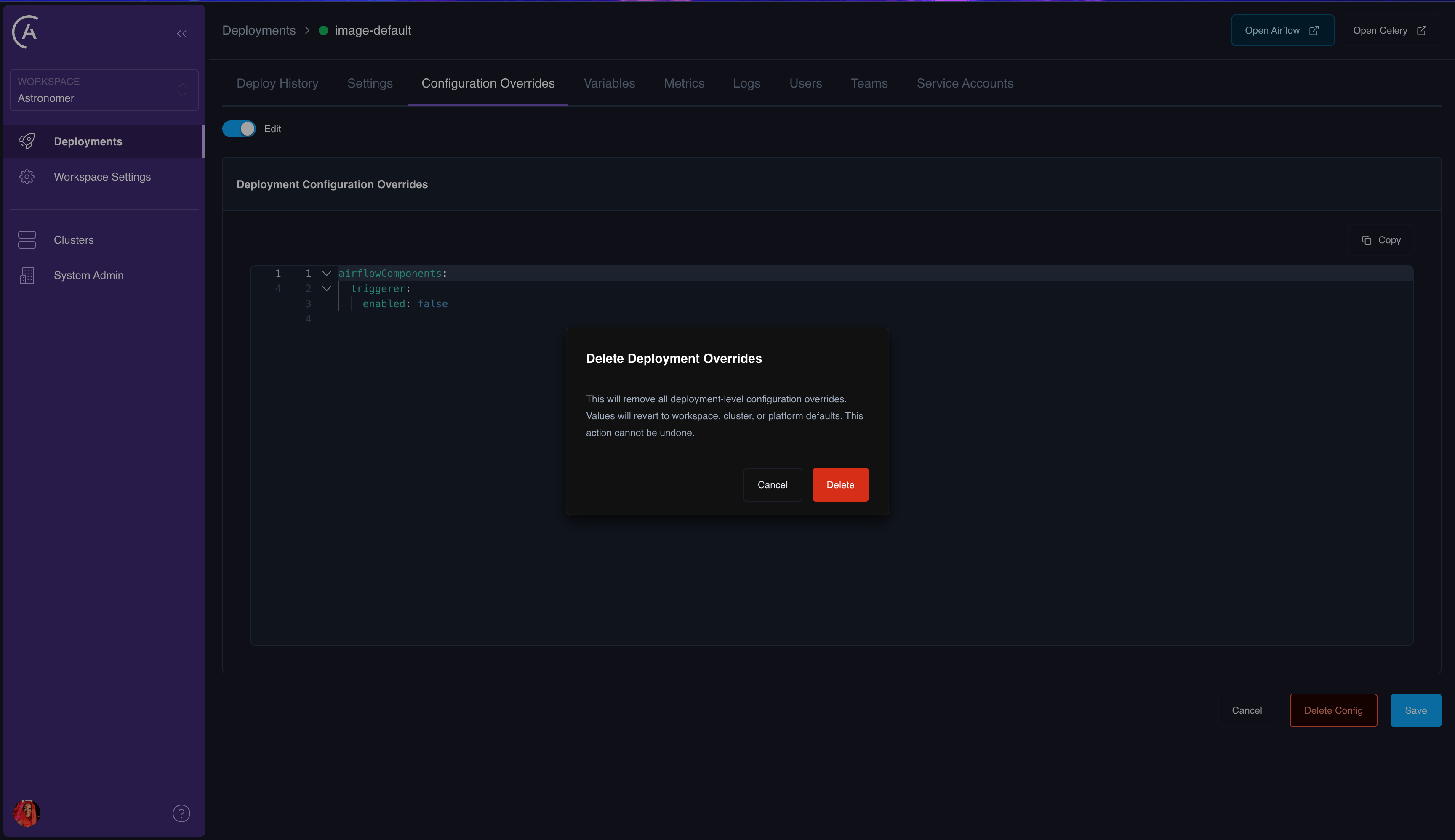
Effective configuration
The effective configuration for a Deployment is the result of merging all four tiers. The Astro UI doesn’t include a dedicated screen for the fully merged result or a per-key source tier readout (Platform, Cluster, Workspace, or Deployment). You retrieve that from the GraphQL API instead. TheDeployment type exposes the merged deployments object on effectiveConfig (the final value after the Platform through Deployment merge). It also exposes configOverrides for the deployment tier only, when you need the fourth layer in isolation. For cluster- and workspace-level override payloads, use the corresponding GraphQL queries or fields on those objects in your client.
For example, workspaceDeployment can return the merged result alongside deployment-level overrides:
The Workspace and Deployment removed-settings lists show only that tier’s removals, so a key removed at the cluster or Workspace tier is absent from the tiers below without a note in their editors.
To work out the source tier for a given key, compare the merged
effectiveConfig to each tier’s contribution (platform defaults, cluster and workspace override records, and configOverrides as appropriate). The API doesn’t label each key with a tier, but the underlying data is all available for inspection with GraphQL.
See also Example GraphQL API queries for workspaceDeployment request parameters and related patterns.
How merge works
Configuration merging uses a deep merge strategy:- Start with the platform’s default
deploymentsobject from your control planevalues.yaml(astronomer.houston.config). For a cluster that doesn’t derive its configuration, this is the cluster’s snapshot. See Overview. - Deep-merge cluster-level overrides (if the Deployment’s cluster has overrides).
- Deep-merge workspace-level overrides (if the Deployment’s workspace has overrides).
- Deep-merge deployment-level overrides (if the Deployment has its own overrides).
Example
Given the following configuration at each tier: Platform default:Configurable domains reference
The following table lists the top-level configuration domains underdeployments and their availability at each override tier.
Starting in APC 2.2, some paths inside these domains are blocked at the Workspace and Deployment tiers, such as
databaseManagement.manualConnectionStrings and the namespace pool settings under namespaceManagement. See Blocklist in APC 2.2.
Changes when you upgrade to 2.2
The following changes apply after you upgrade to APC 2.2, whether or not the cluster derives its configuration. The last row also needs APC 2.2 on the data plane.
A cluster registered on APC 2.0.3 or a later 2.0.x release also needs a cluster override for its container security context before you upgrade. See Clusters registered on APC 2.0.3 or later 2.0.x releases.
Upgrade the APC API and the APC UI together. An older APC UI against an APC 2.2 API drops keys and removals when it saves a Workspace or Deployment override. An APC 2.2 UI against an older API can’t load the cluster page or the Workspace and Deployment Configuration Overrides pages.
Limitations
- A Workspace or Deployment override can’t set or remove a value that the data plane supplies. A tenant can still set
helm.airflow.postgresql.enabledtotrueto run the bundled Postgres, which Astronomer doesn’t support. - The protected
helmlist is fixed in the APC API. A platform-requiredhelmvalue that isn’t on the list can be removed at any tier. - On a Deployment that runs in operator mode, there’s no Airflow Helm chart default to fall back to. Removing an unprotected
helmkey gives whatever the operator uses without it. - If one data plane metadata field is invalid, the control plane rejects the data plane’s whole metadata update, and metadata sync stops for that cluster until the field is fixed.
Best practices
- Keep overrides minimal: Only set values that need to differ from the parent tier. Fewer overrides mean less configuration drift and easier debugging.
- Use workspace-level overrides for team defaults: If all Deployments in a workspace need a common setting (like enabling deploy rollback), set it at the workspace level rather than on each Deployment individually.
- Use deployment-level overrides for exceptions: Reserve deployment-level overrides for cases where a single Deployment needs to deviate from workspace defaults.
- Send the complete override at the Workspace and Deployment tiers: Starting in APC 2.2, a save replaces the stored override. Read the stored override first and send it back with your change.
- Set a value to turn a feature off: Removing a
helmkey brings back the Airflow Helm chart’s default, which can switch the feature on. - Review effective configuration: In the GraphQL API (for example
Deployment.effectiveConfigonworkspaceDeployment), compare the merged result after making changes to confirm that the merge produced the expected result.