

Overview
This reference architecture demonstrates how to use Apache Airflow® to orchestrate RAG data ingestion that powers a search application as well as a batch inference pipeline analyzing search queries. It also shows how to use Weaviate’s advanced search capabilities. You can adapt the Hybrid Search application to your use case by ingesting your own data and adjusting the search queries in the website backend to fit your needs.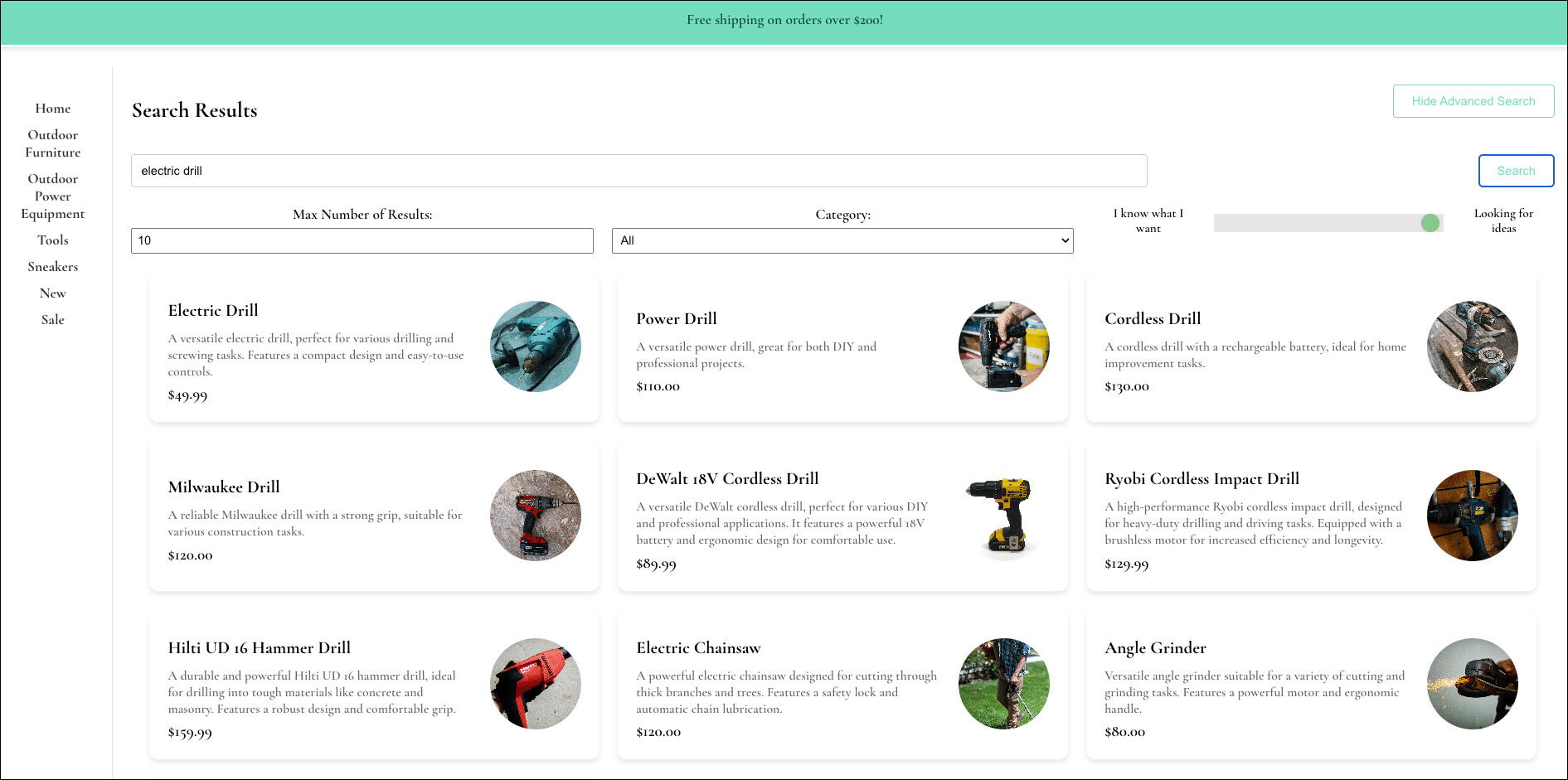
An earlier version of this architecture is available in the Hybrid Search for eCommerce repository. It was written using Airflow 2, but the patterns it shows still apply.
Architecture
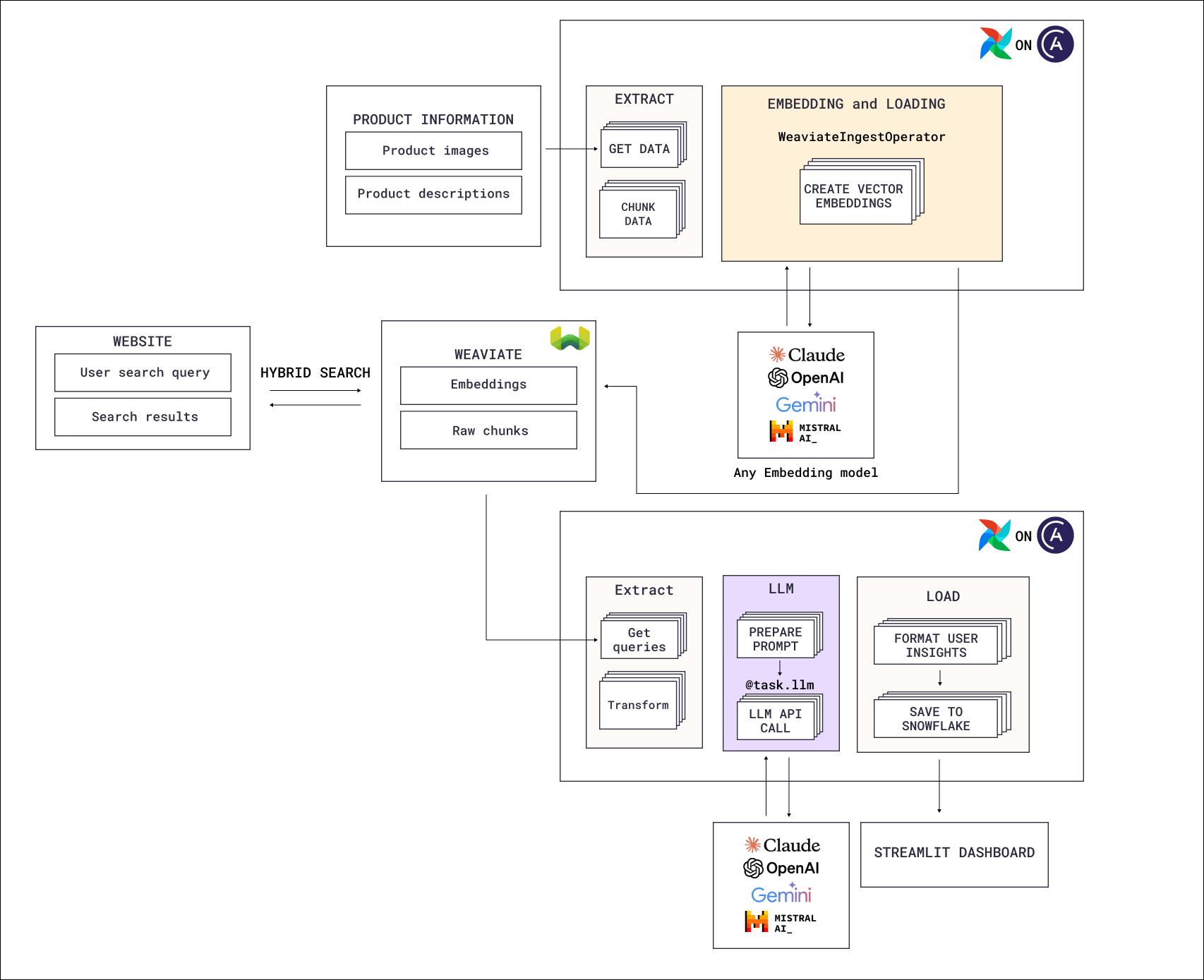
- Data ingestion and embedding: Sample data containing product descriptions and images is ingested from Amazon S3 and Snowflake into Weaviate, a vector database. Embedding of the product descriptions uses OpenAI models.
- Hybrid search: The demo website with a Flask backend and React frontend allows users to experiment with advanced Weaviate search by querying the product descriptions using hybrid search. An OpenAI embedding model is used to embed the user query.
- Batch inference: All user search queries are stored back in Weaviate so they can be used by a downstream Airflow Dag that runs an OpenAI batch inference pipeline to classify user queries and derive product insights. The results of this analysis are loaded into Snowflake to be displayed in a Streamlit dashboard.
Airflow features
The Dags that power this hybrid search application highlight several key Airflow best practices and features:- Airflow retries: To protect against transient API failures and rate limits, all tasks are configured to automatically retry after an adjustable delay.
- Advanced data-driven scheduling: The Dags in this reference architecture run on data-driven schedules, including combined asset and time scheduling and conditional asset scheduling.
- Dynamic task mapping: Product information extraction and ingestion into Weaviate are split into multiple parallelized tasks, the number of which is determined at runtime based on the number of ingestion folders with product information that needs to be processed.
- Object Storage: Interaction with files in object storage is simplified using the Airflow Object Storage abstraction.
- Modularization: Functions defining how information is extracted and checksums are calculated are modularized in the
includefolder and imported into the Dags. This makes the Dag code more readable and offers the ability to reuse functions across multiple Dags.
Next steps
- Connect Weaviate to Airflow with the Airflow Weaviate provider.
- Index your own knowledge base with RAG document embedding for product recommendations.
- Build a RAG pipeline hands-on with the Orchestrating Workflows for GenAI Applications course on DeepLearning.AI.
- Deploy the Airflow pipelines with a free trial of Astro.