- Learning Airflow: an introduction to Airflow’s lean and dynamic pipelines-as-Python-code
- ETL: an introduction to modern, enhanced ETL development with Airflow
- Generative AI: an introduction to generative AI model development with Airflow
Time to complete
This quickstart takes approximately 30 minutes to complete.Assumed knowledge
To get the most out of this quickstart, you should have an understanding of:- Basic Airflow concepts. See Introduction to Apache Airflow.
- Basic Python. See the Python documentation.
Prerequisites
- The Astro CLI version 1.25.0 or higher.
- An integrated development environment (IDE) for Python development, such as VS Code, Sublime Text, or PyCharm.
- (Optional) A local installation of Python 3 to improve your Python developer experience.
Step 1: Clone the Astronomer Quickstart repository
- Learning Airflow
- ETL
- Generative AI
-
Create a new directory for your project and open it:
-
Clone the repository and open it:
Your directory should have the following structure:
Step 2: Start up Airflow and explore the UI
- Learning Airflow
- ETL
- Generative AI
-
Start the project using the Astro CLI:
The CLI will let you know when all Airflow services are up and running.
-
In your browser, navigate to
localhost:8080and sign in to the Airflow UI using usernameadminand passwordadmin. -
Unpause the
example_astronautsDAG. -
Explore the DAGs view (the landing page) and individual DAG view page to get a sense of the metadata available about the DAG, run, and all task instances. For a deep-dive into the UI’s features, see An introduction to the Airflow UI.
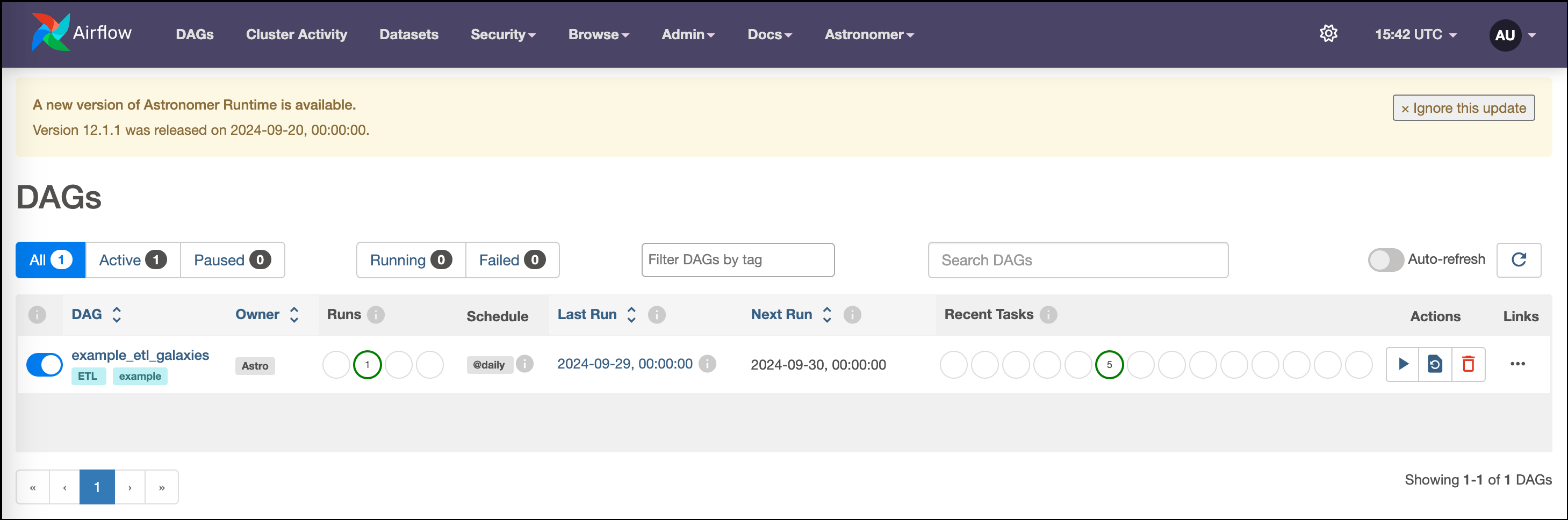
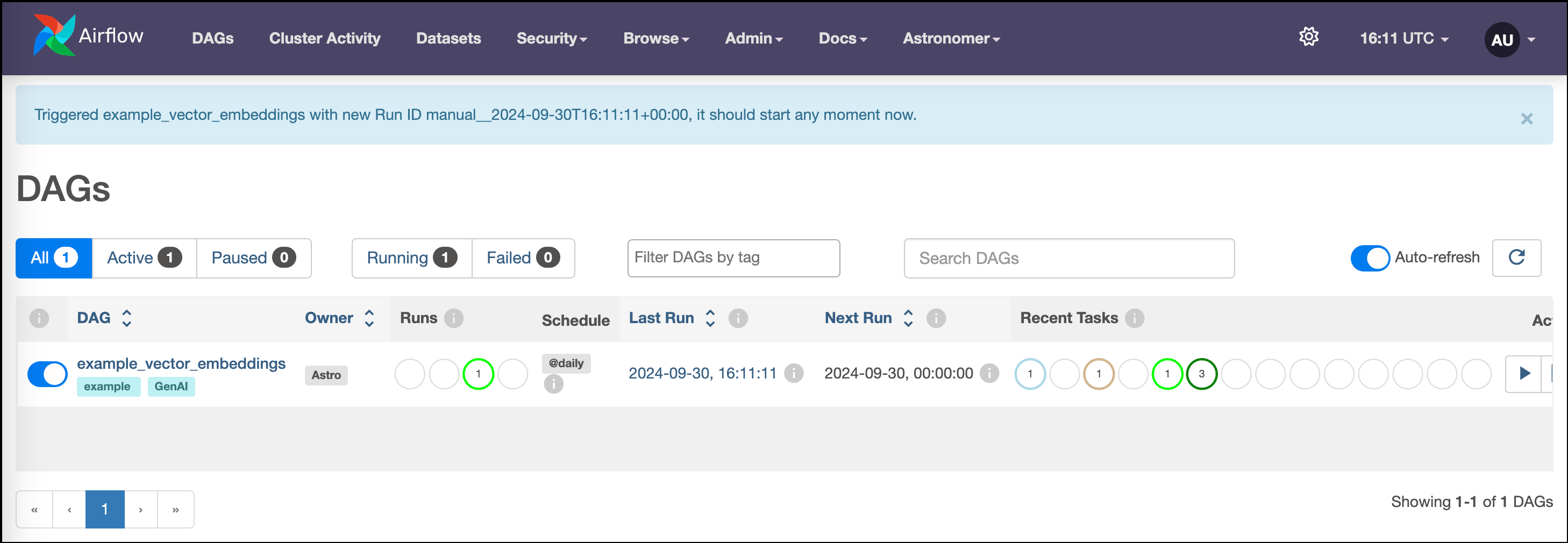
For example, the DAGs view will look like this screenshot:
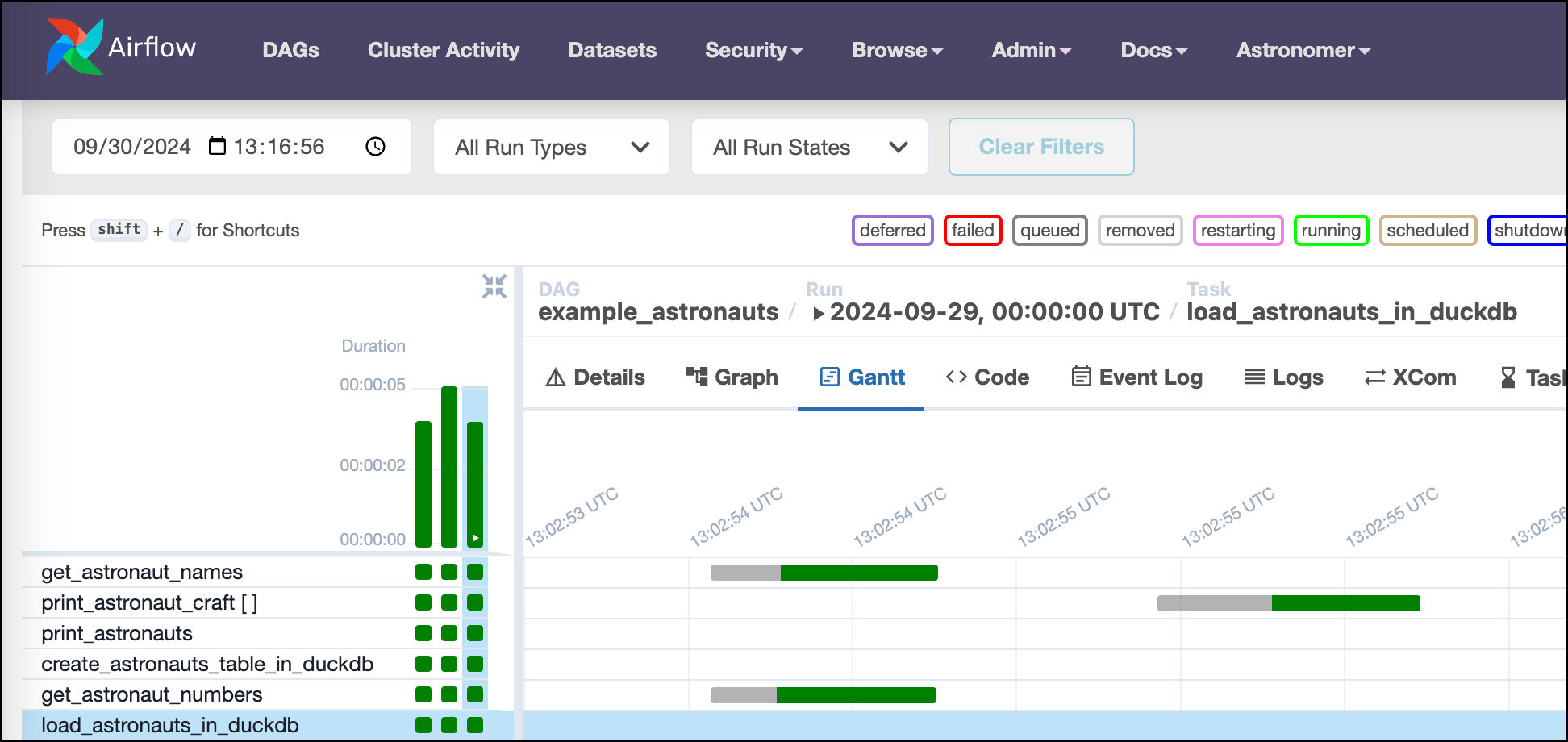
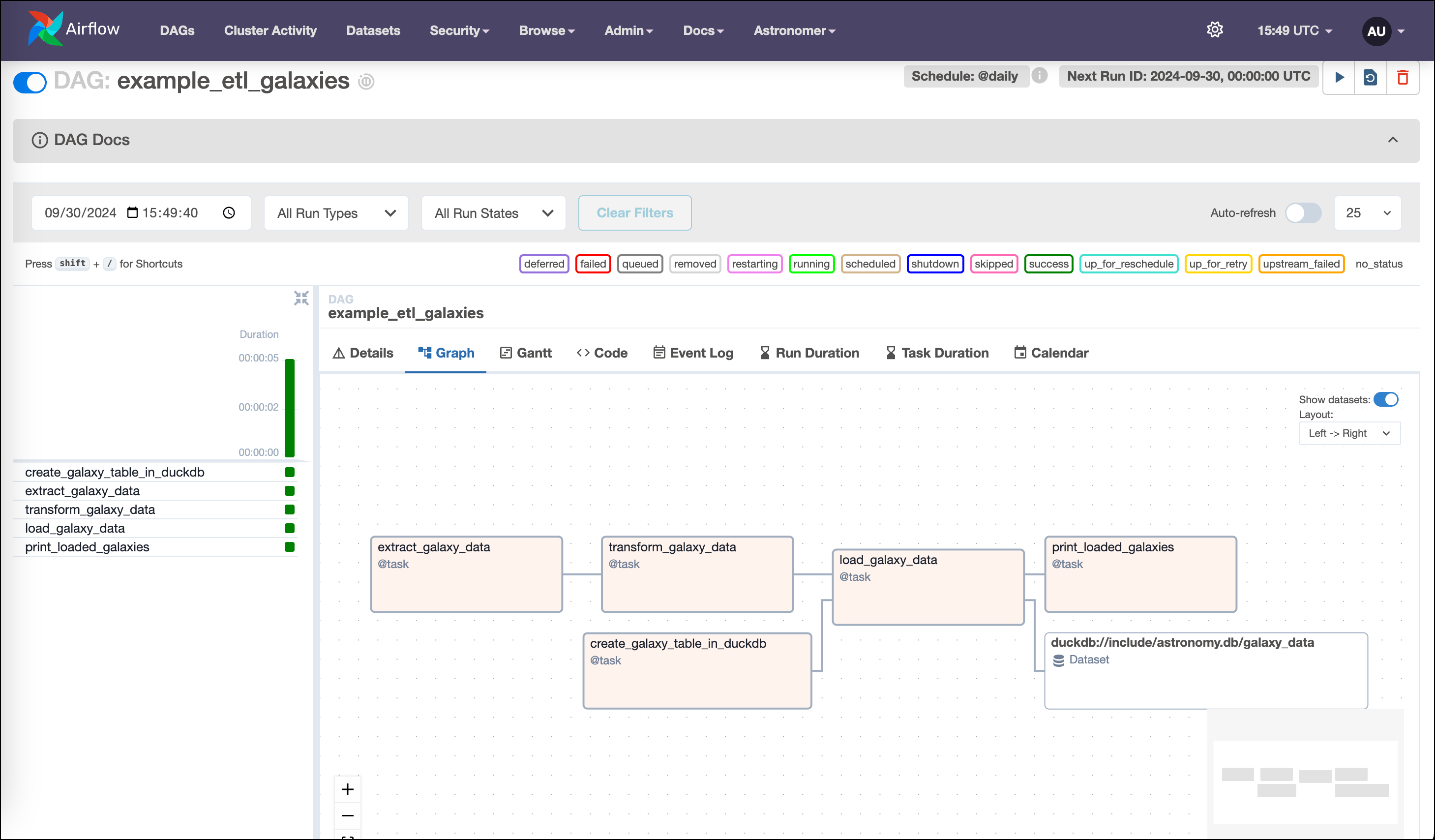
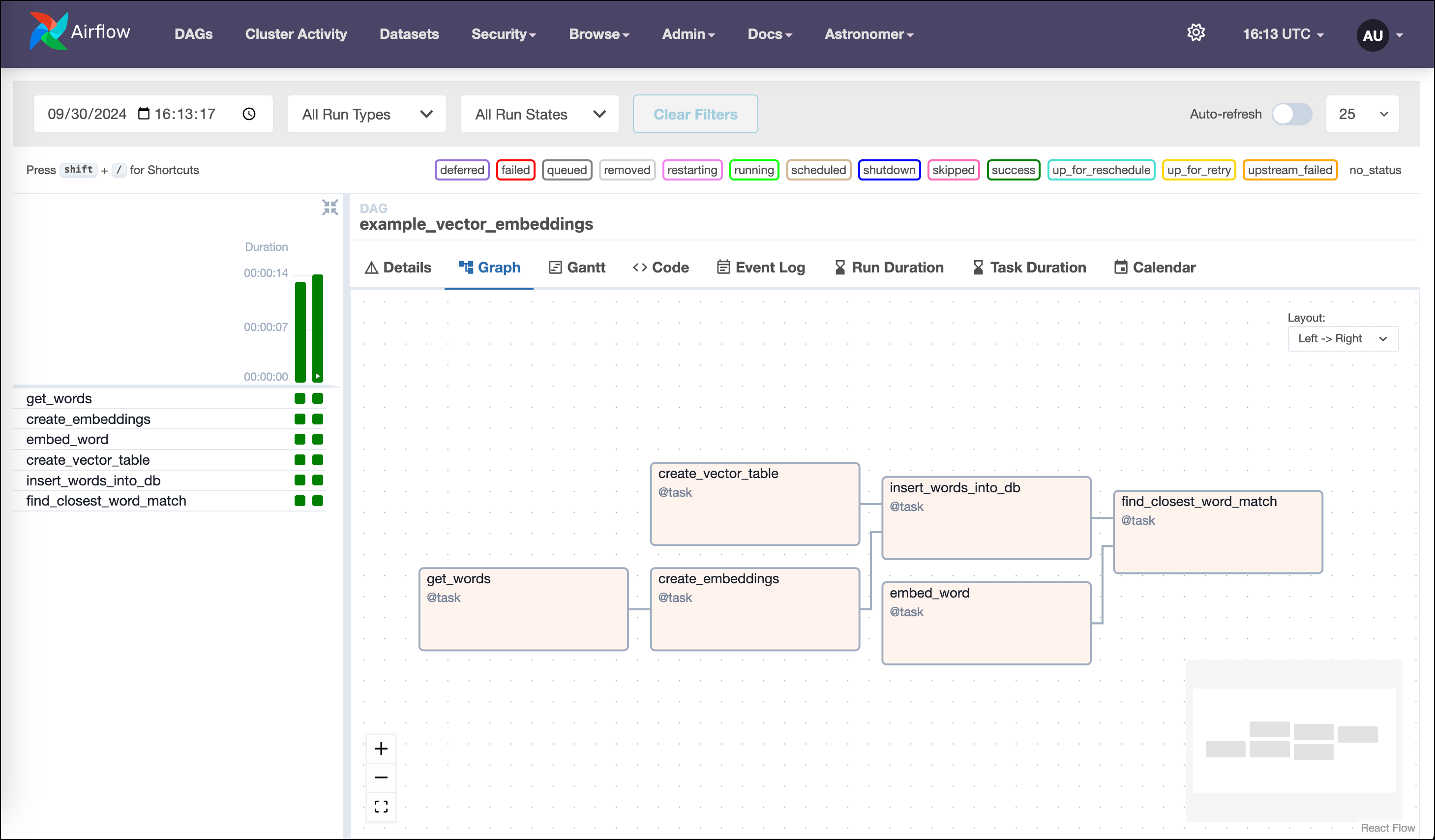
As you start to trigger DAG runs, the graph view will look like this screenshot:
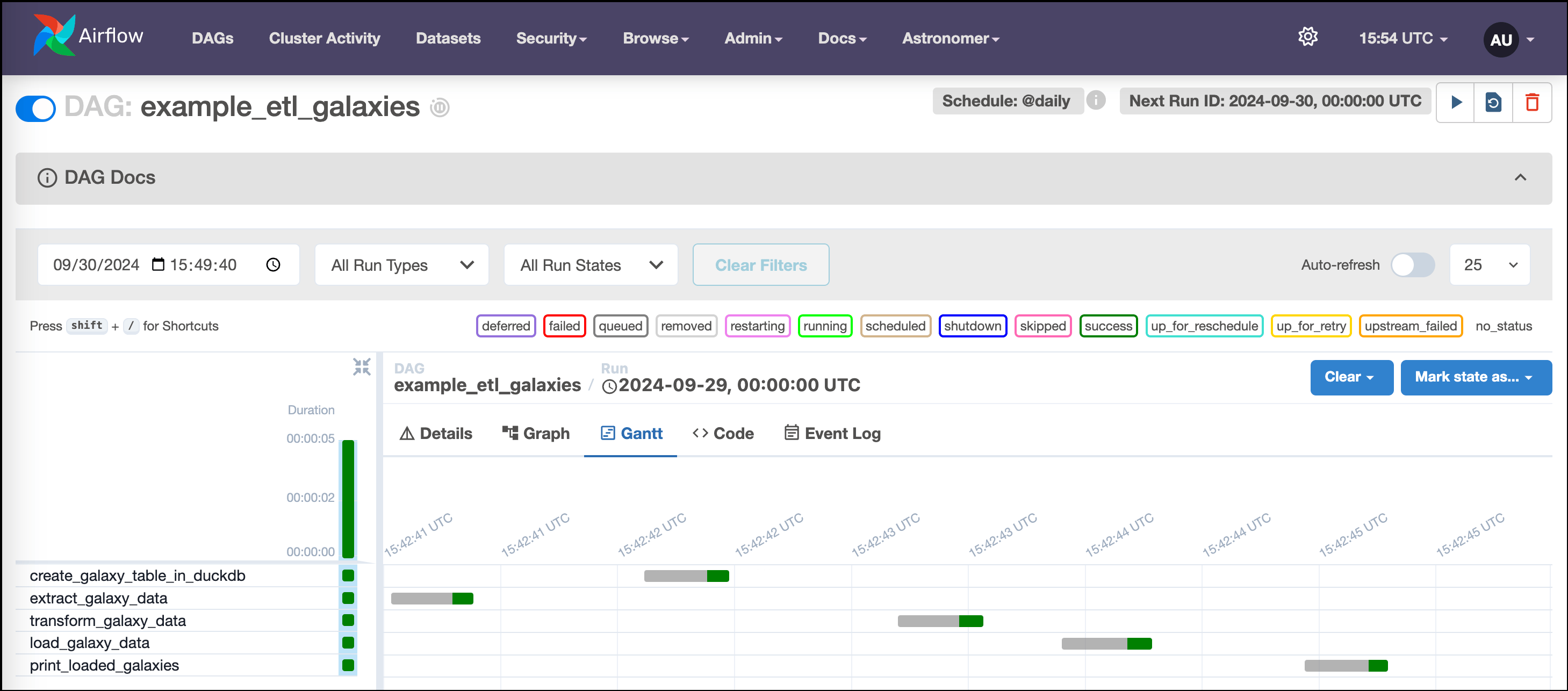
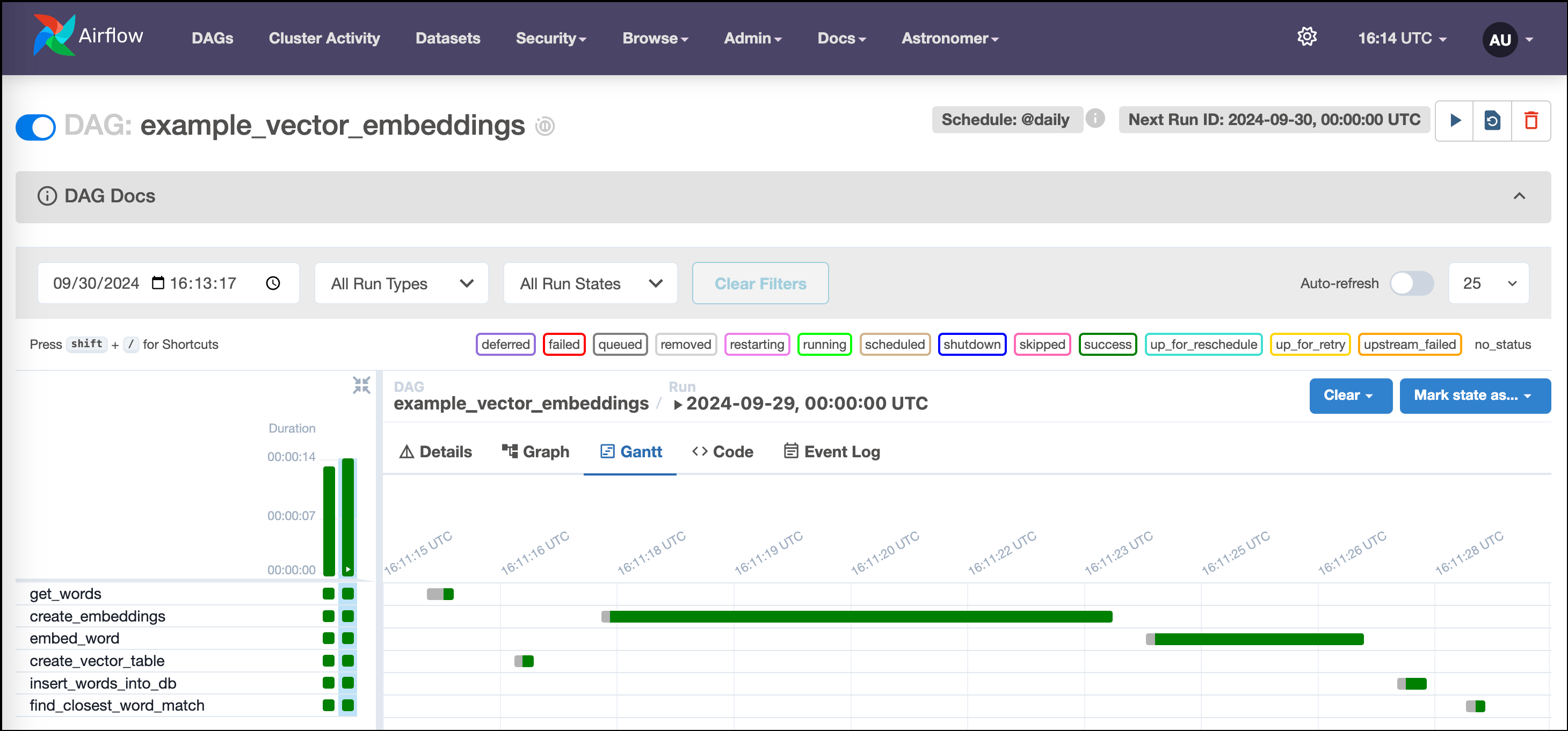
 The Gantt chart will look like this screenshot: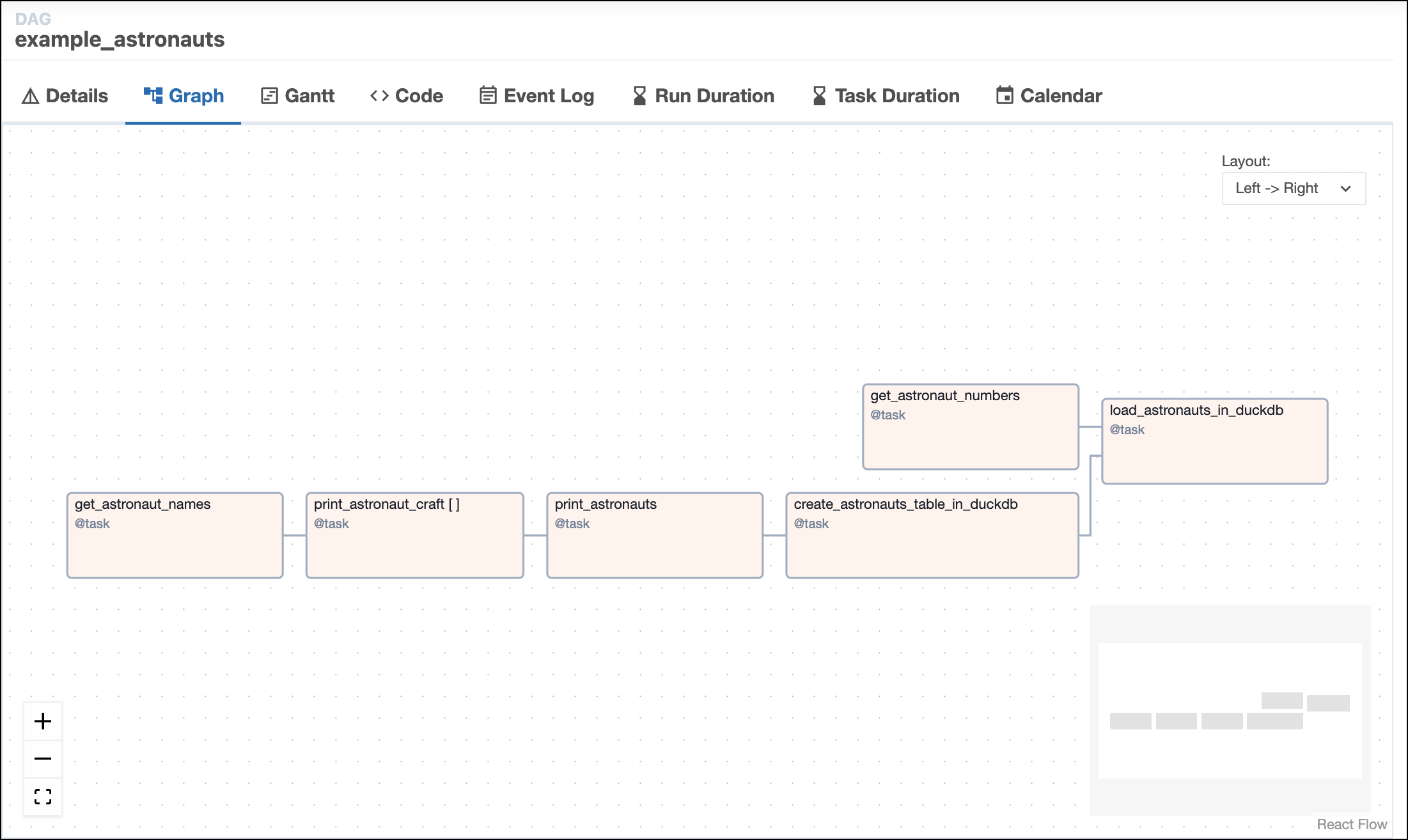
Step 3: Explore the project
- Learning Airflow
- ETL
- Generative AI
This Astro project introduces you to the basics of orchestrating pipelines with Airflow. You’ll see how easy it is to:
This DAG queries the list of astronauts currently in space from the Open Notify API, prints assorted data about the astronauts, and loads data into an in-memory database.Tasks in the DAG are Python functions decorated using Airflow’s TaskFlow API, which makes it easy to turn arbitrary Python code into Airflow tasks, automatically infer dependencies, and pass data between tasks.
This DAG queries the database you created for astronaut data in
- get data from data sources.
- generate tasks automatically and in parallel.
- trigger downstream workflows automatically.
Pipeline structure
An Airflow instance can have any number of DAGs (directed acyclic graphs), your data pipelines in Airflow. This project has two:example_astronauts
This DAG queries the list of astronauts currently in space from the Open Notify API, prints assorted data about the astronauts, and loads data into an in-memory database.Tasks in the DAG are Python functions decorated using Airflow’s TaskFlow API, which makes it easy to turn arbitrary Python code into Airflow tasks, automatically infer dependencies, and pass data between tasks.-
get_astronaut_namesandget_astronaut_numbersmake a JSON array and an integer available, respectively, to downstream tasks in the DAG. -
print_astronaut_craftandprint_astronautsmake use of this data in different ways. The third task uses dynamic task mapping to create a parallel task for each Astronaut in the list retrieved from the API. Airflow lets you do this with just two lines of code:The key feature is theexpand()function, which makes the DAG automatically adjust the number of tasks each time it runs. -
create_astronauts_table in duckdbandload_astronauts_in_duckdbcreate a DuckDB database table for some of the data and load the data, respectively.
example_extract_astronauts
This DAG queries the database you created for astronaut data in example_astronauts and prints out some of this data. Changing a single line of code in this DAG can make it run automatically when the other DAG completes a run.Step 4: Get your hands dirty!
- Learning Airflow
- ETL
- Generative AI
With Airflow, it’s easy to create cross-workflow dependencies. In this step, you’ll learn how to:Schedule the
With Datasets, DAGs that access the same data can have explicit, visible relationships, and DAGs can be scheduled based on updates to these datasets. This feature helps make Airflow data-aware and expands Airflow scheduling capabilities beyond time-based methods such as cron. Downstream DAGs can be scheduled based on combinations of Dataset updates coming from tasks in the same Airflow instance or calls to the Airflow API.
- use Airflow Datasets to create a dependency between DAGs so when one workflow ends another begins. To do this, you’ll modify the
example_extract_astronautsDAG to use a Dataset to trigger a DAG run when theexample_astronautsDAG updates the table that both DAGs query.
Schedule the example_extract_astronauts DAG on an Airflow Dataset
With Datasets, DAGs that access the same data can have explicit, visible relationships, and DAGs can be scheduled based on updates to these datasets. This feature helps make Airflow data-aware and expands Airflow scheduling capabilities beyond time-based methods such as cron. Downstream DAGs can be scheduled based on combinations of Dataset updates coming from tasks in the same Airflow instance or calls to the Airflow API.-
Define the
get_astronaut_namestask as a producer of a Dataset. To do this, pass a Dataset object, encapsulated in a list, to the task’soutletsparameter:For more information about Airflow Datasets, see: Datasets and data-aware scheduling in Airflow. -
Schedule a downstream DAG run using an Airflow Dataset:
Now that you have defined the
get_astronautstask in theexample_astronautsDAG as a Dataset producer, you can use that Dataset to schedule downstream DAG runs. Datasets function like an API to communicate when data at a specific location in your ecosystem is ready for use, reducing the code required to create cross-DAG dependencies. For example, with an import and a single line of code, you can schedule a DAG to run when another DAG in the same Airflow environment has updated a Dataset. To schedule theexample_extract_astronautsDAG to run whenexample_astronautsupdates thecurrent_astronautsDataset, add an import statement to make the Airflow Dataset package available: -
Then, set the DAG’s schedule using the
current_astronautsDataset: -
Rerun the
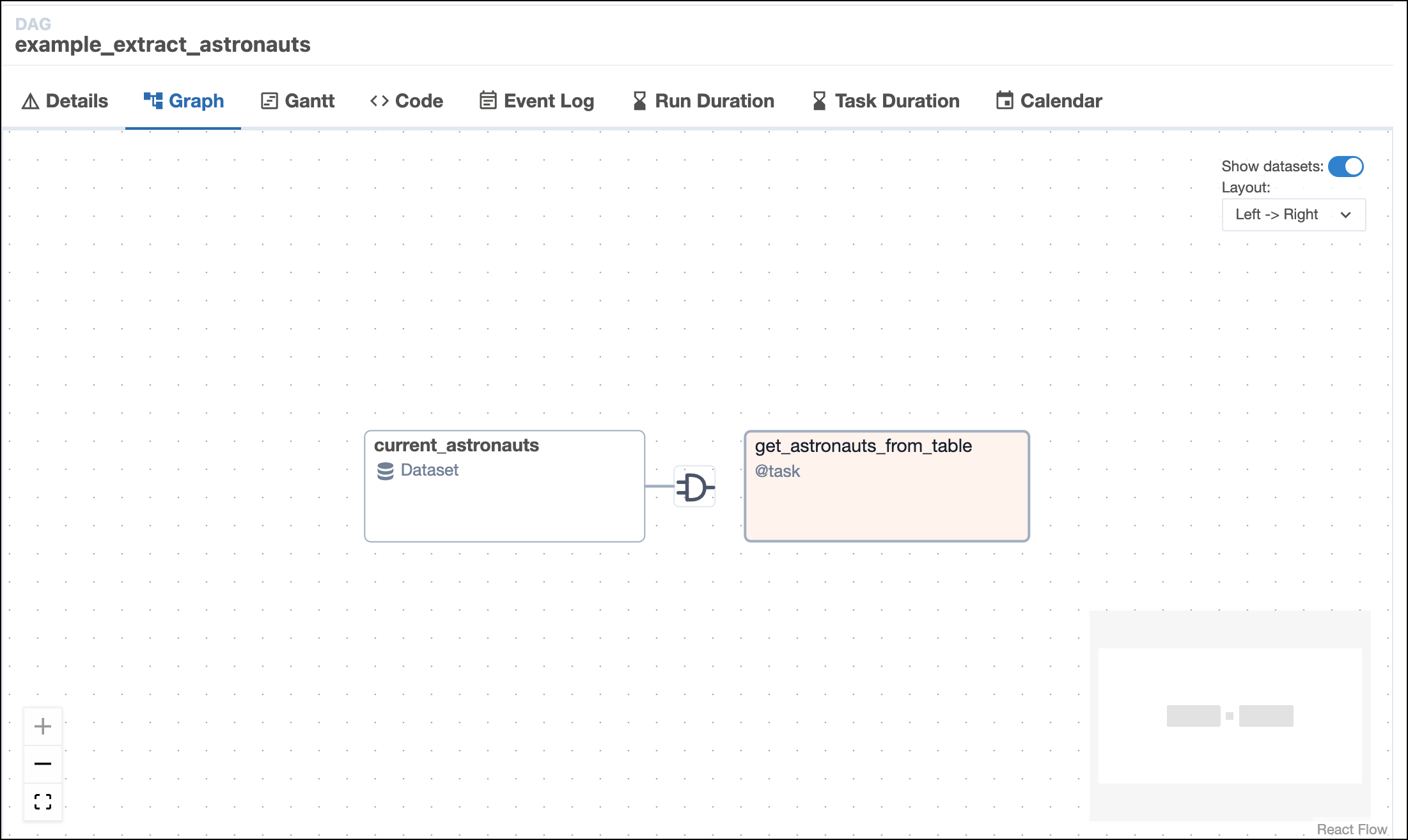
example_astronautsDAG in the UI and check the status of the tasks in the individual DAG view. Watch as theexample_extract_astronautsDAG gets triggered automatically whenexample_astronautsfinishes running. If all goes well, the graph view of the Dataset-triggered DAG run will look like this screenshot:For more information about Airflow Datasets, see: Datasets and data-aware scheduling in Airflow.